Showing posts with label vista. Show all posts

Tuesday, October 05, 2010

My Take on Windows Live Essientials

Microsoft just released their Live Essentials suite of software downloads for Vista and Windows 7 machines.  I've been using them since January 2009.  Here are my thoughts.

You shouldn't install them all, first of all.  When you download and run the installer, you get the choice to install everything, or pick and choose.  Make the latter selection.  If you have a previous version of something, they won't give you the choice not to upgrade, so if there's something you don't want to install, quit the installer and uninstall it first.
Which programs in particular to install will be an individual choice.  I already had Mail, Writer, Photo Gallery, and Windows Live Mesh installed from the beta.  I had installed Microsoft Office since last updating the software, and so the installer offered me the "Outlook Connecter Pack".  I'm not sure what it is, but it probably won't hurt.

Speaking of hurt, though, unless you really, really want it, don't install the Bing Bar.  It's just a bad idea.  It will try to take over all of your browsers, and seriously, who needs a toolbar in their browser? 
 
I've never tried the updated Messenger, Messenger Companion, or Family Safety.  I hardly ever use my hotmail account to chat, and I use Pidgin when I do, so I don't really have a use for the Messenger enhancements.

Writer is apparently a very good blogging tool that works with a lot of popular blogging sites (like Blogger, which hosts this blog), but so far, I've stuck with the web interface for composition.
By far the most useful tool is Windows Live Mesh.  If you're like me, you have a bunch of pictures, music, files, and other documents on various computers.  The file sets are simply too large to fit into a free Dropbox account, and you don't really need access to them over the web, at least not most of them, you just want them on your various computers.  It's a hassle to keep all of photos or music organized in more than one place, so you don't.  You keep them organized in one place, and (hopefully) make periodic backups to another computer just in case. Well, Live Mesh allows you to keep it organized the way you want it, everywhere you want it, and it doesn't matter how big the files are, because Microsoft isn't going to store any of them (except for a special 5GB folder, which it will store in the cloud and allow you to access from anywhere on the web.)

Microsoft doesn't upload your files to its servers, but it does keep track of them for you.  Any change you make to your shared folders gets copied to the other computers where that folder is synced, and the copying is peer-to-peer, so if you're at home, it happens at the speed of your home network.  It will also keep your files in sync even if you're not at home, directly from your other computer, not through their servers.

The management interface is pretty simple, though it's easy to miss the "Remote" settings, which allow you to connect to your computer over the Internet if you have enabled it on that device.  Connect is a lot like Remote Desktop, if you're familiar with that.  Basically, it's just like you're sitting at the other computer.  You have to be running MSIE on the computer you're connecting from.

The web interface is a lot like the desktop interface, except in addition to your shared folders, you also have access to all of your devices as well, and you can see which devices sync to each of your folders.

Update:  After installing  Windows Live Mesh on my wife's new netbook, she experienced extremely slow performance.  Her netbook has a 2GHz x64 processor and 2GB of ram, so it wasn't simply the fact that it was a netbook that was making it slow.  I opened Task Manager, and found that the MOE process ("Mesh Operating Environment") was consistently taking up 40 - 60% of the CPU.  I shut down the process, and deleted the "Run" entry from the registry to disable it starting up automatically.  Any syncing that happens will need Live Mesh to be started manually.  I also observed similar behavior on my laptop, but the media PC (which is on all the time) has the MOE process taking only 3 - 5% of the CPU.  It's probably checking the synced files for updates every time it starts up.

Anyway, be warned: Windows Live Mesh is a resource hog on machines that need to turn on and off all the time.

Friday, September 10, 2010

The Cure For Vista Media Center's Insomnia

At home we have a computer hooked up to our TV.  It has two TV tuners, and is set up with Windows 7 Media Center to record our favorite television shows (and automatically detect and skip commercials).  It's wonderful.  We can also watch Blu-ray movies, access Netflix, Hulu, Amazon Unbox, and any number of other streaming services right from our living room TV. 

This post is not about that computer.  This post is about my laptop.  Occasionally, when traveling, or when simply in another room of the house, I like to use Windows Media Center on my laptop.  Currently, it's running Windows Vista, so in order to be able to view shows in the .wtv format used by Windows 7's Media Center, I have installed the "TV Pack" unofficially leaked by Microsoft.

It works great.  Basically, I browse to the file I want to watch on a shared drive (I have a shortcut to the Recorded TV folder on the desktop), double-click it, and it plays on the laptop.  The commercial scan files are automatically synced. When traveling, I usually copy what I want to watch to my Laptop's hard drive, but there's also this.

So, what's the problem?  My laptop won't sleep.  Or hibernate.  At least not all night.  It wakes up at 3:30 AM to download the latest TV listings, even though I never configured it to work with a tuner, so it has no listings to download.  Needless to say, this is annoying.  It drains my battery unnecessarily, and if it's in its case, there's a danger that it will overheat.

After living with this problem, usually dealing with it by shutting the laptop down every time I stop using it--which means a cold boot every time I start using it, and it takes a while to load everything up--I finally found the solution to my problem.  Step 9 on this page points you in the right direction, but here's how you do it:

Launch the Task Scheduler.  You can do this by opening the Start Menu, typing "Task Scheduler", and pressing Enter.  You will get a UAC prompt, which you should authorize. 

In the left pane, click on the arrows left of the text to expand down to the following item: Task Scheduler (Local) -> Task Scheduler Library -> Microsoft -> Windows -> Media Center


Once you have selected Media Center, look on the top middle pane for a task named mcupdate_scheduled.  Double-click this task to load the Properties window.


In the Properties window, click the Conditions tab, and uncheck the box next to "Wake the computer to run this task".

Click OK, and close Task Scheduler.  That's it.  No more waking up from hibernate or sleep in the middle of the night!

Sunday, September 14, 2008

Vista Media Center TV Pack: Pros and Cons

Not too long ago, Microsoft leaked an upgrade to Media Center which they released to OEMs. This upgrade contained some "well duh" features: features that should have been in Media Center all along. It also contained a number of "WTF" featuers: features that were not added in the interest of end users; features designed to please television stations and content producers. Features that annoy me. Nevertheless, I have installed the TV Pack upgrade (codenamed Fiji), and continue to run with it. The good:
  • Tuners with different feature sets can be used (and it won't reduce them to the lowest common denominator): analog, digital, HDTV.
  • Multiple tuners can be hooked up to different sources (cable, over-the-air).
  • Clear QAM support: Media Center now supports HDTV over cable. Unfortunately, I can't seem to be able to get it to recognize my Hauppauge 1250 tuner as a digital tuner when connected to cable, so I can't receive the QAM channels.
The bad:
  • DRM: every recording is "protected" (from me accessing it) by DRM. There is no law or FTC policy that requires this to be done.
  • WTV container format (replacing the DVR-MS format). This format is currently incompatible with commercial skipping and/or removal programs such as Lifextender or DVRMSToolbox.
  • DVD burning of recorded content no longer works. At all.
  • If I go back to the pre-TV Pack configuration (which requires re-installing the operating system), I won't be able to access any of the content that I've recorded since the upgrade.
  • There is no WTV playing support on any non-[Vista-with-TV Pack] system, or Linux. The format is a complete black box that only Media Center knows how to decipher.
It went like this: I have two tuners: an analog USB tuner (Dell branded, Angel manufactured), and a digital HDTV tuner (Hauppuage 1250). Before the TV pack, I had both tuners hooked up to the cable. The other option was to have just the digital tuner hooked up to the over-the-air antenna, which would then receive HDTV channels, but no cable. Media Center allows you to browse through the next two weeks of movies that will be on TV and pick which ones to record. Cable (aside from having shows like Battlestar Galactica) has orders of magnitude more in terms of movie selection, so without the TV Pack, I would have to choose between quality (HDTV for broadcast, but only getting broadcast channels) and quantity (all the shows and movies on cable, but no HDTV channels). The Hauppauge customer support folks claim that since Microsoft hasn't officially released the TV Pack, and since the OEMs haven't yet released PCs with the TV Pack update yet, they aren't supporting Clear QAM in media center on my hybrid card. Clearly, it's a driver issue, and they haven't released one that deals with the problem, at least not officially. So, for now, I'm waiting: waiting for OEMs to start releasing TV Pack systems, which will in turn (hopefully) lead to driver support by the manufacturers; waiting for the Media Center user community to produce software that will decrypt, de-commercialize, transcode, and otherwise access the WTV format. This is already starting to happen, but more progress needs to be made for there to be a true solution. I don't like having my recorded TV locked in a proprietary DRM-restricted format, especially one that doesn't use much compression (I would prefer to be able to transcode to H.264), but for now, it 'works.'

Wednesday, August 27, 2008

Vista: Partitioning and Formatting a New Disk

I just got a new Terabyte hard drive, and I popped it into my Vista Media Center machine (Elrond). When I booted up, it said it recognized the new hardware, and it installed the disk. However, no drive showed up in the Computer folder, so I poked around in the Device Manager. The drive was indeed there, installed and working. I tried rebooting. No effect. Finally, I remembered that last time I had to manually format the drive (I guess the drives don't come pre-formatted to NTFS like they used to), and so (after refreshing my memory with Google) I Opened up Computer Management, went to Storage -> Disk Management, and there was my drive, sitting there labelled "Unallocated". Excellent: all I have to do now is format it, and I'll be on my way. So, I right-clicked on the drive, selected format, and went through the wizard. Then I got this message:
"The operation cannot be completed because the disk is not initialized."
What? Isn't that what I'm trying to do here? Do I have to pull out my Knoppix or GPartEd LiveCD just to get a drive formatted to NTFS for Vista? This is not looking good. Windows Help was worthless when I searched for 'initialize disk'. Back to Google, where I typed in 'vista' plus the error message in quotes, and got a page with a grand total of three (hopefully now with this post it will be four) pages. The first was no help: the guy formatted the drive in XP. The second and third results both contained the solution to the problem. Apparently, we're supposed to all recognize that space to the left of the disk space illustration as right-clickable. Yep, to get a disk initialized, you need to right-click that space and select "Initialize disk" (which writes the partition table, by the way):
After that, it was a simple matter of re-running the format wizard on the drive. Why wasn't there a wizard that said, "You just installed an un-initialized, un-partitioned, un-formatted hard drive, what do you want to do next?" Even a button on the notification that my new hard drive was installed to further configure it would do. There could be appropriate warnings for such possibilities as other operating systems being installed on that disk, or unrecognized filesystems, or other installations.

Monday, August 25, 2008

Shell access to Vista from Linux

Yep, you read that right, I'm going to ssh into a Windows command prompt from Linux box. The first question to answer is, "why on earth would anyone want to do that?" to which my reply is that I wanted to be able to be able to remotely access Elrond, my media box, since it's an always-on machine. I might want to download something directly from it, check what files are there, move them around, etc. My initial thought was to do all of this from Linux, and then just use the default shares (e.g., \\elrond\c$, etc.) to move files, but I ran into trouble accessing default shares from Linux, and it's much more powerful to have command-line access, especially since I've been learning some VBScript lately. Not content with (and not too familiar with) using only the native Windows Shell command-line utilities, I of course installed Cygwin first, and added "c:\cygwin\bin;" to the Path environment variable (put it right after "%systemroot%\system32;"--not before!). Presto! Instant access to all of the Linux utilities and programs that I'm used to. See? This is much better than just Samba/CIFS mounts. The next task was to get an SSH server. My requirements were:
  1. Free
  2. Runs on Vista as a daemon (I don't have to be logged in).
  3. Easy to configure
(Open source would be nice, but it's not a must on Windows.) This article was helpful in rounding up the canidates. My choice was freeSSHd. I tested the server by logging in from my laptop using PuTTY. It worked great, but when I tried to ssh from a Linux box, I got:
$ ssh elrond ssh: elrond: Name or service not known
Oh, yeah, that's right. I use DHCP for my windows boxes, so they're not in the hosts file, and DNS doesn't resolve Windows names not in a domain. Sure, it works if I use the IP address, but using that over time would work havoc on my known_hosts file, and given the nature of DHCP, it's bound to bite me in the butt sooner or later. But Samba can find them, so there must be a way. It took me about a minute (and some bash-completion) to remember the proper command:
$ nmblookup elrond querying elrond on 192.168.5.255 192.168.5.143 elrond<00>
I thought about setting up a script that would parse out the IP address with egrep and then pass it along to the ssh command, but I like a nice clean known_hosts file. There had to be a way to log on to the host by name, so I turned to the Internet. It turns out that the solution is called WINS. Using it requires that "wins" be in the hosts line of nsswitch.conf, like this:
hosts: files dns wins
It also (at least on Gentoo) requires that Samba be compiled with WINBIND support (which is not WINS). This was a rather non-intuitive step, and I have my ignorance to thank for trying WINBIND support in the first place. Okay, at this point I have it all up-and-running!
tim@athena ~ $ ssh elrond tim@elrond's password: Permission denied, please try again. tim@elrond's password: Permission denied, please try again. tim@elrond's password: Received disconnect from 192.168.5.143: 2: Too many attempts.
Wait, what? This worked before! "ssh Tim@elrond" didn't work, and neither did "ssh 192.168.5.142". The server is up and responding. I was using the right password, but something else was wrong. After a little bit of poking around on freeSSHd's website (the forums are, thankfully, rather sparse) I was able to find this, which it turns out is also linked directly from their homepage. Apparently it's a common problem. When running freeSSHd as a service, you have to configure it in "elevated mode"--even if your account is an administrator, that is, you have to explicitly launch the configuration program with elevated privileges, or else you won't be altering the settings for the system, just for the logged-on user. That's why it worked when I had tested it before (my first clue should have been that when I launched the configuration program, I had to stop the service to keep it from saying it was already running. Another problem I ran into was this:
$ ssh elrond Tim@elrond's password: No console window found! Unable to emulate VT100 terminal. Unable to execute command or shell on remote system: Failed to Execute process. Connection to elrond closed.
Basically, I can log in, but it won't give me a terminal. It fails, and kicks me out. The solution was on the forums:
Problem already reported. Disable "use new console engine" until we find a solution.
So I did that, and now it finally works. Update: see comment(s).

Sunday, May 04, 2008

Elrond: Blu-ray, Windows Media Center, Etc.

So I bought another computer: Elrond. Elrond will be the living room media PC.
I believe that makes a total of 6 computers. Obviously not all of them are this nice. Some of them are scratch boxes. I'm thinking of installing Ubuntu 8.04 (Hardy Heron) on one of them in the near future. When I have time (HA!)
Elrond is a Dell Inspiron 530 with Blu-ray and an HDTV tuner. It has Windows Vista Home Premium, which comes with Windows Media Center. Media Center This is the first time I've messed with Media Center, and I'm mostly impressed. It was very easy to set up. The only really annoying thing is that if you have two tuners, they can't be hooked up to two different sources: I wanted to have the HD tuner record over-the-air broadcasts (which it can do in HD) and have a second USB tuner (that I had bought with my laptop) handle the SD signal from cable. No dice. It only supports managing one guide, and assumes that all tuners have access to it that guide and nothing else. Lame. Currently, I have it set up with just the HDTV tuner hooked up to cable. It can't record any of the cable HDTV channels, unfortunately, because it doesn't have a QAM tuner (HDTV signals are in a different format on cable than over the air). I think Athena's tuner supports QAM (and it ignores the broadcast flag too), but I haven't set up MythTV yet (which is ironic, since MythTV was one of my primary reasons behind putting Athena together in the first place). The reason I decided to go with SD cable is because it has the most content by far. If I want to record some over-the-air HDTV, I can switch it over to that temporarily. If I get MythTV running on Athena, I should be able to record anything I want. [Edit: According to the manufacturer's page, my tuner can indeed receive QAM HDTV signals, but they apparently have to be clear QAM (i.e., not encrypted or "scrambled"). My TV is able to tune to the HD stations without the cable box, which means it might be simply a matter of configuration: downloading the right listings that tell my computer it can tune to HDTV channels. Whether Comcast provides listings including HD channels is another matter.] [Edit: Apparently, it's not Comcast, it's Microsoft. Windows Media Center doesn't support QAM, unless you buy a special computer designed specifically for it. This seems stupid to me, because these channels are being sent over the wire in the clear. Back to square one. Time to get MythTV up and running.] [Edit: There appear to be ways around WMC's artificial restriction (by getting tuner hardware and drivers that lie about where the video comes from). Interesting. I'm still going to explore my MythTV solution. Currently, I have MythTV up and running, but nothing shows up on a channel scan.] Blu-ray So, I've finally bought myself a Blu-ray drive. I was hoping to wait until full-featured stand-alone players went down in price to the $200 mark. It doesn't look like this is going to happen anytime soon. Blu-ray players actually went up in price after the end of the format war with HD DVD (surprise, surprise), and they don't show any signs of going down any time soon. The best "value" on a Blu-ray player was still the PS3, and I'm not that interested in the PS3 for gaming (and I already have as many Linux boxes than I need) so that wasn't looking like a good deal either. I was looking at the Dell website for a PC for the living room, and I saw that they had a special deal on a Blu-ray player, in addition to a big chunk of money off the computer, and my employee discount program percentage off, so I bit. I was hoping that I could have the option of hooking up my HD DVD drive (Xbox 360 attachment) to the PC and have it play both, but it only came with PowerDVD DX version 7, which supports Blu-ray and not HD DVD. Not a big deal, of course, since I have a stand-alone player (HD-A3). The only problem I ran into as far as Blu-ray playback is concerned is that I wanted to output Surround Sound to my receiver digitally. For this, I had to buy a sound card, and since the two digital optical input ports were already occupied (by the HD DVD player and the TV), I needed a coaxial digital S/PDIF out. I found one at Fry's (Diamond XtremeSound 7.1 for $30 with a $10 rebate), hooked it up, and told Windows to use that card's digital out. In order to get it to output Dolby Digital 5.1 during movie playback, I had to configure the settings of the PowerDVD program to output to "SPDIF"; before that, it was still sending stereo.

Thursday, March 08, 2007

Vista Ultimate

Yes, it's finally here: the pinnacle of Microsoft's manifold glory. It's mostly the same as the pre-release versions that I've been running since last August, so there's not much new to report.

It still runs my favorite free and open source programs just fine.

I had become quite adept at transferring the necessary settings and files from one install to another through the process of repeatedly installing beta versions, so I had no trouble doing that, with the help of my external drive to hold the files, and Athena, my trusty Linux server, still had all of my install files. I upgraded where there was a new version of a program that I use.

Vista's fancy-shmancy window-switching: if you have a graphics card that can handle it, you can use it with Win+Tab (in stead of Alt+Tab).


For all the hum-drum of the final release, I don't want to give anyone the impression that Vista is not pretty. Vista is very pretty, and I think they've done a fine job. The User Account Control feature isn't annoying anymore.


They seemed to have made some minor UI tweaks. I noticed some of the sounds had changed. Also, the file folders used to be open just a crack, so that you could hardly see what was inside them, and they've opened them up a bit.


Vista still doesn't behave quite right with the taskbar on the top of the screen (which is not standard). I still get windows opening underneath it, and two of my icons at the bottom of the screen (Firefox and Opera) keep migrating up one notch.

I haven't yet explored the differences between Home Premium, which is what I had for the beta test, and Ultimate.

Saturday, November 25, 2006

Triple-Booting

For a short period of time I was triple-booting on my laptop with Gentoo Linux, Windows XP, and Windows Vista. I compiled Linux from scratch and got everything working and set up, even the WiFi card, but in the end, it wasn't worth it to have to keep rebooting to switch operating systems, especially since the applications I used most were exactly the same across each platform: Firefox and Gaim. I kept XP around because my printer isn't supported in Vista. After a week of rebooting just to print, and dealing with Windows file permissions hell, and keeping files synchronized across three operating systems, I decided to wipe the hard drive and just go with Vista. If I want to print, I can print from Athena in Linux. The main benefit from the end user perspective of Vista is its pretty interface. There's a lot that's changed under the covers, but chances are most users aren't going to notice that so much, especially in day-to-day use. Mostly I installed Linux to prove to myself that it could be done. My laptop is relatively new hardware, and I wanted to see how the process of getting off the ground worked. I don't think Linux is a good OS choice for a laptop. A desktop or server, yes, but not a laptop. Linux was not meant to be turned on and off all the time and adjust to its environment on the fly. Windows XP Windows Vista Gentoo Linux with GNOME desktop Gentoo Linux with KDE desktop, just for show: this is the default without any customizations, since I didn't really use KDE.

Thursday, August 31, 2006

Vista Pre-RC1

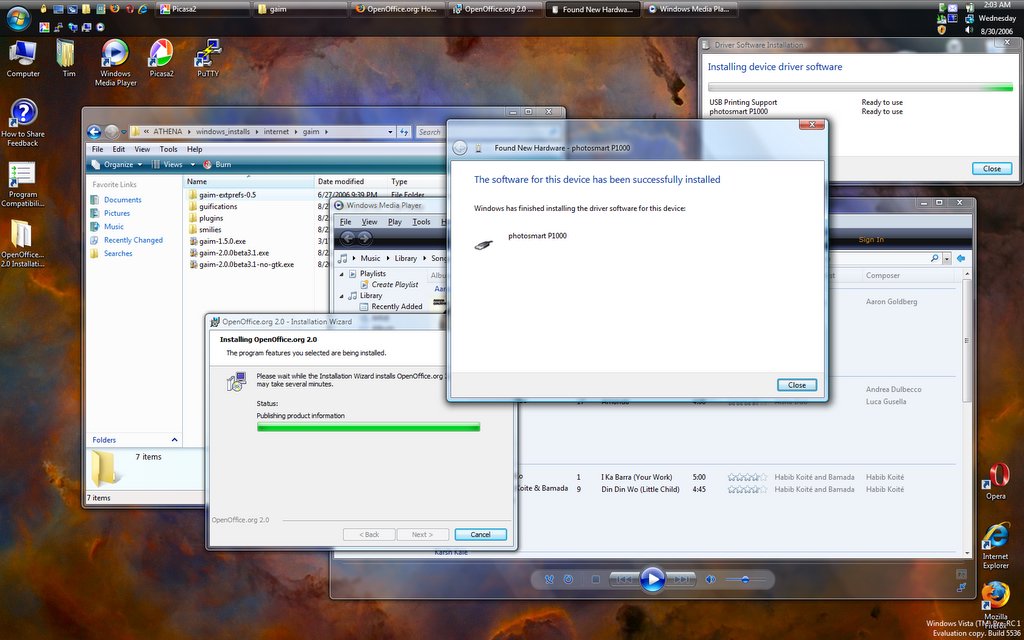
I downloaded and installed the latest and greatest Vista last night. It's supposedly beyond beta, but not quite release canidate material: Pre-RC1. It's a build from the RC1 branch, so it theoretically should be feature-complete, though there might be some more bug fixes that go into RC1. The first big difference I noticed was that my graphics card was recognized and it installed the driver and set up Glass automatically. Ah yes, and that means screen capture is no longer broken.


As you can see, it's trying to install my printer. I was actually able to run the installer for my HP PhotoSmart 1000 (which is no longer supported beyond XP). The install got to the point where it told me to plug in the printer, and I did, but nothing happened, and I ended up having to kill the process. It did leave me with the drivers extracted onto my hard drive, and so I was able to direct the hardware installation wizard to their location, but in the end, the printer still wouldn't install. If I can finally get that working, I might just make the leap to Vista as my primary laptop OS.


This is why you need a fancy graphics card in your computer: new eye-candy features. Alt+Tab still works like before, only now with little previews of the windows, but now there's also Win+Tab. This is the kind of thing graphics cards were made for, and it's nice to see that Windows is finally catching up in this area.


As usual, Firefox and Gaim are among my staple applications. My favorite Gaim plugin, Guifications (which shows little popup messages on certain events) seems to crash Gaim when it tries to display an notification, which is odd, because the same exact setup worked perfectly in Beta 2. I suppose that's what I get for installing a beta version of a plugin on a beta version of an application on a pre-release operating system that's been out in the wild less than 24 hours.

Tuesday, August 22, 2006

Vista Glass

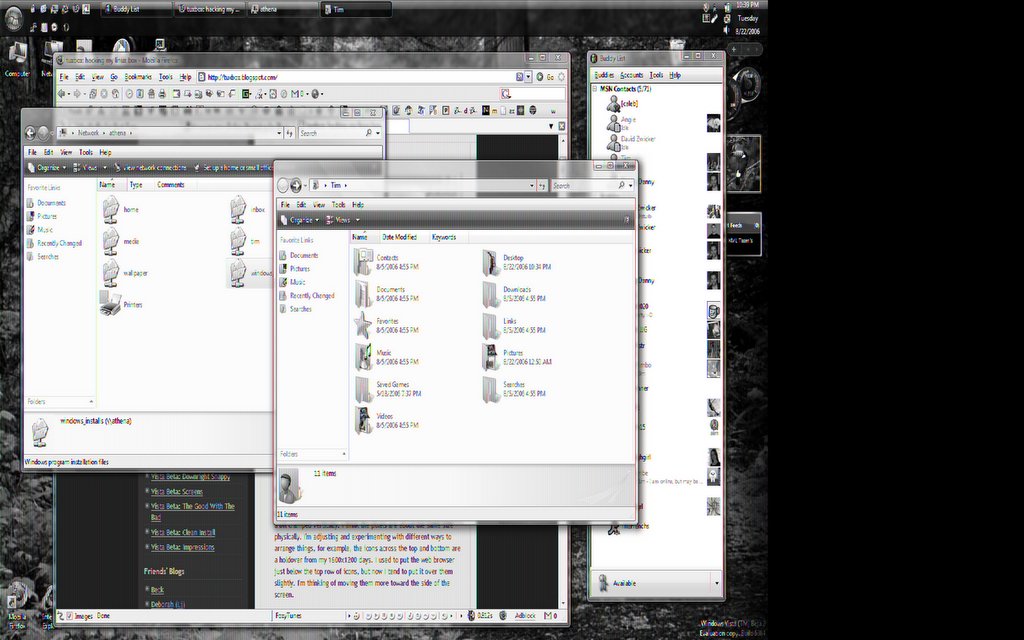
It's so pretty. I wish I could show you what it looks like. I can try, but all I get is this: I decided to do some looking into the nVidia driver situation. I found out that indeed nVidia does indeed have Vista beta drivers for my graphics card, but when I tried to install, it said my card wasn't supported.

Well, I wasn't going to take their word for it, so I did some more digging (or rather googling, since apparently both terms have developed specialized meanings), and found out that what I needed was a modded INF file with the installer, so that it wouldn't reject my card. I found such a file at laptopvideo2go.com, and the driver installed without a hitch.

Finally, I'm running at native resolution, 32-bit color, and using the illusive Aero Glass theme. So far the only thing wrong is that when I try to do a screen capture, the image is garbled as you see above, but trust me, it looks nice. So far the only other hardware issue I've run into head-on with Vista is that my printer, an HP PhotoSmart 1000 does not, and never will work with Vista. The model is no longer supported by HP, so XP is the end of the line. I got it at a thrift store for $3.99 and all it needed was a color cartridge. I don't want to have to part with it just because of an OS upgrade.

Maybe I can hook it up to Athena and I can print over the network. I've never messed with Linux printing. My Bluetooth device (BCM2045) also doesn't have a Vista driver, and there are three "Base System Device" entries in the device manager, which correspond to three of the four functions of my flash card reader. The SD card function works just fine, which is nice, because that's what I use.

Aside from hardware issues, Vista still isn't very stable. The Control Panel keeps crashing whenever I try to open it, and then I have to restart Windows Explorer, which is quite annoying. Another annoyance is when a user program tries to "open file location," i.e., open the folder that contains this file, in stead it opens the file. This happens from Firefox, Picasa2 and Photo Gallery Viewer, so I'm pretty sure it's an OS bug. "Open file location" seems to work fine when right-clicking shortcuts, though.

Sunday, August 20, 2006

Widescreen


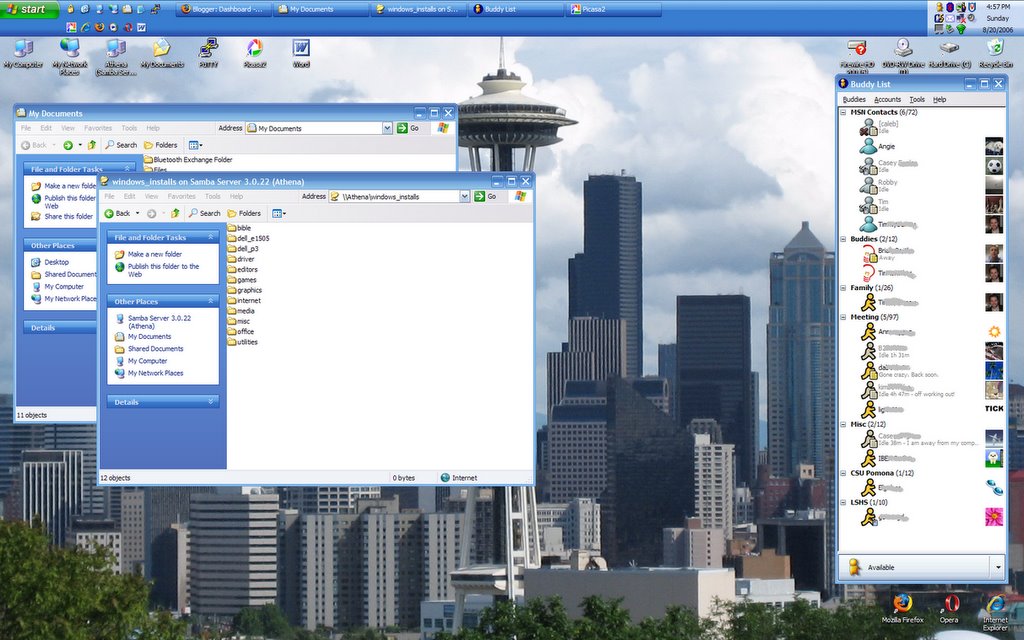
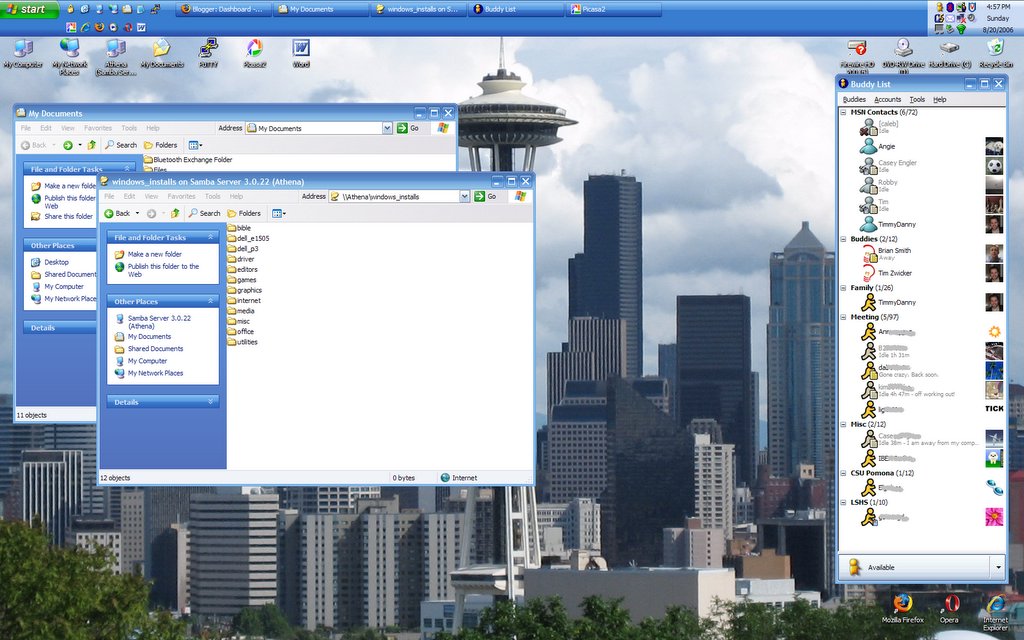
No, that's not my Linux box, though for about a day I did have Gentoo installed, and I'll probably make another go at it at some point in the future. I've been pretty busy lately. I'll try not to keep posting just Windows things on a blog that's supposedly about my Linux box. If you'll notice though, the windows_installs directory is hosted on a Samba share on Athena. See, they can play nice together.

I also have Vista beta on another partition on this computer, but there aren't Vista drivers for most of the hardware, most notably it doesn't recognize the screen as a wide screen, so Vista is pretty much a no-go until Dell, nVidia, and/or Microsoft gets their act together on that.

Here's a snapshot of my desktop. The screen is much brighter and crisper than my old laptop. It's actually only 80 pixels wider than my old laptop screen (and 150 pixels shorter), so in some ways it can feel a bit cramped vertically. I think the pixels are about the same size physically. I'm adjusting and experimenting with different ways to arrange things, for example, the icons across the top and bottom are a holdover from my 1600x1200 days. I used to put the web browser just below the top row of icons, but now I tend to put it over them slightly. I'm thinking of moving them more toward the side of the screen.

Gaim 1.5 had a bug that made it crash when signing on to the MSN Messenger service (apparently MSN changed the way they did logins, and it exposed the bug) so I installed the beta 2.0 version of Gaim, and I like what they're doing with it. The new sounds are a big improvement: much less abrasive. They also have a "Psychic mode" plugin that looks like it'll be fun to play around with.... (Note: I have obscured some screennames in case there's a stalker or an IM spammer with an OCR-bot.)

The new computer is quite snappy; it starts up fast, and goes in and out of sleep without problems. The speakers are awesome: in fact, this is the perfect laptop for watching widescreen video on, which I have done. Another nice feature is the built-in card reader. A single slot takes SD/MMC/MS/Pro/xD cards.

Friday, June 30, 2006

Vista Beta: That Was Quick

I finally got fed up with all the slowness. I have 512MB of RAM and a 2.0GHz Pentium 4, and I was having trouble doing more than one task at a time, and that's with all the indexing and Windows Defender off. It was pretty, but my CPU was at 100% most of the time swapping out a 900+ MB page file. Everything is back to normal thanks to my external hard drive and a stack of CD-ROMs. Just my luck though, the day after I reinstall everything they come out with a new version of OpenOffice.org (2.0.3) and MSIE 7 Beta (3).

Sunday, June 25, 2006

Vista Beta: Downright Snappy

Okay, well, no, it's not quite snappy: it's still a bit slower than XP, but with the Appearance Settings set on the Windows Standard theme in stead of Windows Vista Basic, the performance hit is much reduced. Standard looks like Win2k, which is a step down from the TabletPC theme I had installed on XP, which looked like Vista as far as the taskbar went, only it was blue in stead of black. Too bad I didn't think to take any "before" screenshots. Actually, I liked the blue better. If there was a setting to make it look like XP I would try it, but I guess they aren't giving you the option to make Vista look like XP. That's probably a good marketing decision.

Saturday, June 24, 2006

Vista Beta: Screens

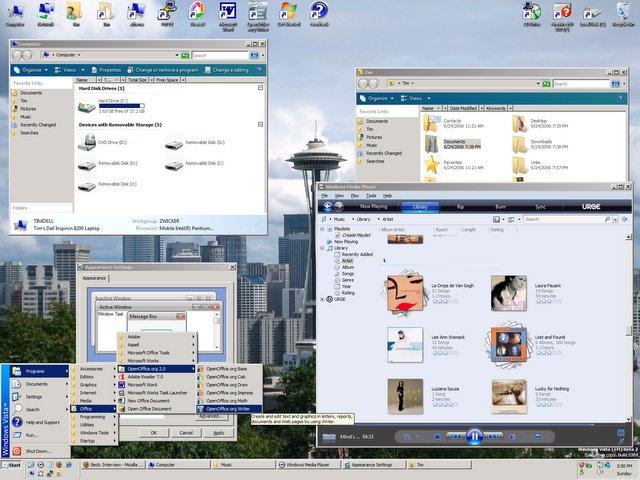
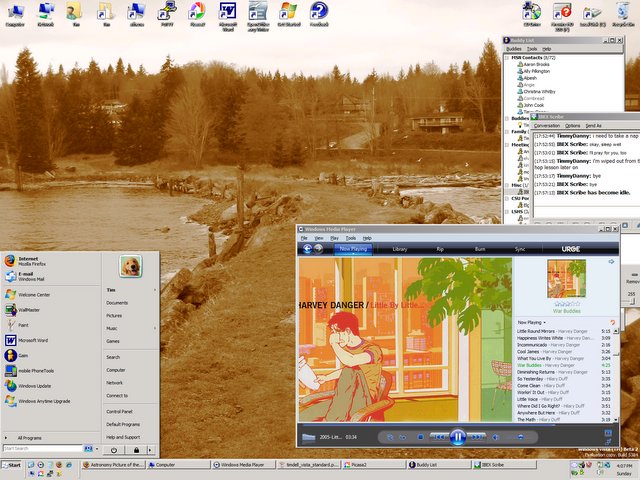
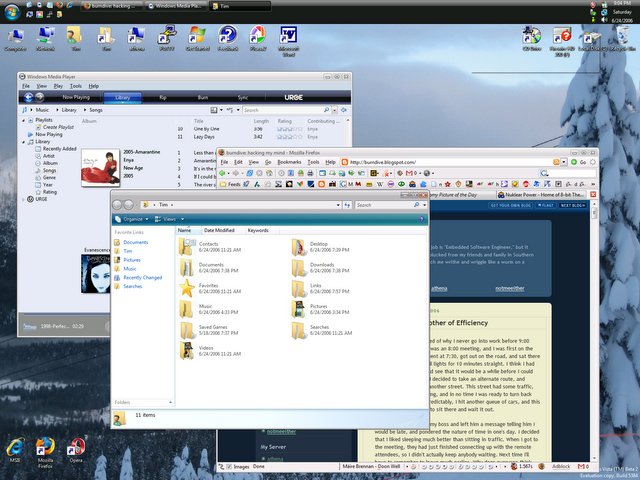
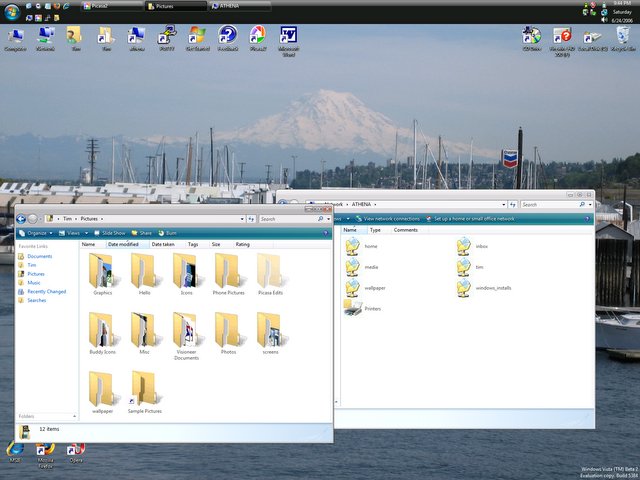
The background pictures are mine. Sorry they're such low resolution.


Vista Beta: The Good With The Bad

As I've mentioned before, my laptop is not the latest piece of hardware, and so my Vista experience has been sub-optimal. If I have too many things going on, it slows to a crawl. Sometimes Windows Explorer restarts itself. When I open, close, drag, or in general interact with windows, they flicker and sometimes disappear. It feels like when I installed the enhancements that came with MSIE 4.0 on our old 133MHz Win95 machine: the one that made it look and feel like Windows 98. Yep, I was a geek back then too.

There's this fancy new feature where directories look like file folders turned on their sides with sheets that look like the documents and images inside. It's a bit like the thumbnail view from XP, only much, much more resource intensive. Linux does something similar (and I hear so does OSX), but without so much crunching on the hard drive and stuttering of the GUI. If I get fed up with all the crunching, I might try the "classic" look and feel, which hopefully will perform on par with XP on the same hardware. I would hate to think they made Windows less efficient at the same tasks, but it's been known to happen.

I like the directory structure of Vista a lot better than previous versions of Windows. It's more unix-like. There's a "Users" directory, which is a lot like the "Documents and Settings" directory, except it's shorter and has no spaces. Each user has a folder in this directory, but in stead of a "My Documents" folder, they have a set of folders for different kinds of files, like Pictures, Documents, Music, Saved Games, etc. The difference is subtle, but I count it as an improvement. I also noticed something interesting: application data is split into three categories: Local, LocalLow (for less CPU-intensive operations?), and Roaming. This means applications can save settings that are hardware-dependent, and settings that are user-dependent separately.

Windows Media Player is at version 11 in Vista. It's a lot prettier and smarter than v.10, and once it finally assimilates all my music, it should be great... waiting... still waiting. It's taking a long time for some reason. WMP 10 would have torn through my 11GB of music in less than half an hour, but I guess v.11 is doing more crunching on each file. Of course I've been doing other things, and I turned the indexing back on. It's a one-time thing, which will hopefully result in better performance later on. Of course, Microsoft came up with their own media store that they integrated into the software. *yawn* It still has a few bugs in it. I have it on random play, and sometimes it starts a song and after a few seconds changes its mind and starts another song. It's quite annoying. Also, I would prefer "shuffled" playlist in stead of "random," which is what this seems to be, because I'm hearing some of the same songs repeated before others have been played.

Another bug/feature (not sure which it's supposed to be) is that the "Programs" folder from the start menu keeps appearing and disappearing on the Desktop. When it appears, you can't delete it: there's no way to get rid of it. You just have to go about your business until it disappears again. Strange. Speaking of the Programs folder, I wish they had implemented a feature to select a subfolder to put a program's folder at install-time. Gnome and KDE do this quite nicely automatically, and I've been doing this manually in Windows since the 95 days.

Vista Beta: Clean Install

It's much better. I still had to disable User Access Control to keep it from popping up a confirmation dialog every 10 seconds. I turned off search indexing on the hard drive: it slowed down copying files from my external drive to a crawl (expecially when they're text files, which should be lightning fast), and it's a waste of resources, since my data is pretty well organized, and there are programs for indexing specific content, such as pictures and music that do a way better job than a generic always-on search indexer. Vista is set by default to index all external drives for searching: this is a stupid default, and I can't figure out how to change it universally. Vista is still a bit slow and clunky, but that's what I get for running it on 4-year-old hardware. The new Start menu is annoying: I reset it to "classic" style and disabled the "feature" that hides icons you don't use very often.

Vista Beta: Impressions

It sucks. To be fair, I installed it on my laptop, which has integrated graphics, and so the "glass" UI that's supposed to be all the rage isn't available to me. In stead, the windows are colored gray and gray, with shades of gray. It seems also that in order to show off the translucent effects that I can't enjoy, the margins on all the windows was thickened. I think it's annoying. I'm sure it looks pretty with a fancy expensive graphics card. There are other things that annoy me that have nothing to do with cosmetics. Drivers are an issue. My display was stuck at 16 colors, which made the buttons on the title bars invisible, and therefore useless. I was able to reset it to fix that, but there is no driver for my ethernet controller. My photo printer won't work in Vista, ever, since it's a model that HP has stopped supporting. The most annoying thing by far is the interruptions. Vista seems to think that giving it attention is more important that whatever I'm trying to actually do. The whole screen dims, and a single window pops up that asks you condescending questions, t and gives you options that don't cover all possibilities. The configuration settings are also re-arranged from XP, but that's to be expected. What wasn't expected was that the "My Documents" folder has disappeared, supposedly this has been replaced by indexed searching features. The folder is still there, but it's a jumbled mess of hidden and system files. Perhaps it's not as bad on a clean intall. I have my XP installation backed up, at least in theory. I'm not sure if I'll try a clean install of Vista. It may be better to wait until I get my next laptop. Vista is a bit ckunky on this 2GHz P4 with 512MB RAM. If I get a Mac, a free Vista lisence might come in handy. Macs tend to have beefy graphics cards and nice specs, but then again the cost of a Mac laptop will get you a pretty nice Windows laptop. Anyway, my current computing needs seem to be met, as long as I don't install unnecessarily bloated software.

Friday, June 23, 2006

Vista Beta

Got my Vista kit in the mail today. I'll let y'all know how it goes. I'm planning on upgrading the XP install on my laptop. I want to do a clean install eventually, so maybe I'll do that at some point.

Tuesday, May 16, 2006

I Promise This Isn't A Mac Blog

New MacBooks today.

Okay, not that color isn't important, but slapping on an extra hundred and fifty bucks just to get the case in black? The price difference is $200 and you can upgrade the hard drive on the white model for $50. They are otherwise identical.

I suppose it'll make it easier to spot the suckers cool people.

Oh, wait. These people bought Macs. Silly me. (Interpret that how you want.)

In all seriousness, the mid-range white model isn't a terrible deal. If you don't mind integrated graphics and low resolution, and you don't mind (or prefer) a small laptop screen, this might just be for you.

At the moment, I'm convinced that if I bought one of these, I would end up loading Vista (beta in June) and/or Gentoo on it. Is there a right/middle-click driver for the touchpad available for Linux? I might have to write one. Not that I would ever get it done. I still haven't found time in my busy life to get MythTV up and running on athena.

Tuesday, January 10, 2006

A Disturbance in the Force

So here's the thing:

I'm surprised Caleb didn't beat me to this, but then he's a company man now, and may have obligations.

This morning Steve Jobs announced the first Intel Macs. The important thing to know about Macintosh computers with Intel processors is that they will be able to run Windows software. Not only is being able to dual boot (run either operating system when you turn it on) with Windows a virtual guarantee, unless the brains over at Apple are completely devoid of gray matter they are going to facilitate the running of Windows programs within the OS X environment. They might even go as far as to implement the full Win32 specification (and thereby emulate the Windows API). Even if they don't, there's always the open source community, who seem to be well on their way to accomplishing just that. Even if none of this happens, now that Macs run on x86, you'll see a lot more applications and games available on that platform because it's much easier (and therefore cheaper) to port x86 to x86 than PowerPC, thus kick-starting the chicken-and-egg problem with Mac software developement.

The very idea that there is a computer out there which is capable of dual--nay--triple (Win/Mac/Linux) booting is enough to make any computer nerd salavate. And what beauties they are! In particular, the MacBook Pro. This elegant flower of a machine is built on Intel's latest warhorse of a processor, the Core Duo which is the first 65 nanometer transistor processor. Two cores running at 1.83 GHz: *drool* *swoon* Oh, the power!

Ahem. The problem here is the price. This latest toy could be mine in February for a measly $2299. Yes, that's 200 lower than the price quoted on the Apple website. I have my connections. But is it really worth all that money? Well, to find out, I headed over to Dell to see what was on the market. Here is a system which I deem to be comparable to the MacBook Pro:

ModelInspiron 9300MacBook Pro
Operating SystemWindows XP Media Center EditionOS X v10.4 Tiger
Processor1.83 GHz/667Mhz FSB Intel Core Duo Processor1.83 GHz/667Mhz FSB Intel Core Duo Processor
Display17" Widescreen 1440x90015.4" Widescreen 1440x900
Memory1GB Dual Channel DDR2 SDRAM at 667MHz (2 Dimms) 1GB (single SODIMM) 667MHz DDR2 SDRAM (PC2-5300)
Hard Drive100GB 5400RPM SATA100GB 5400RPM SATA
Graphics Card256MB NVIDA GeForce Go 7800ATI Mobility Radeon X1600 with 256MB of GDDR3 SDRAM and dual-link DVI
Optical Drive8x CD/DVD burner (DVD+/-RW) with double-layer DVD+R write capabilitySlot-load SuperDrive (DVD±RW/CD-RW)
WirelessIntel PRO/Wireless 3945 802.11a/g Mini Card (54Mbps)Built-in 54-Mbps AirPort Extreme (802.11g); built-in Bluetooth 2.0+EDR
Battery53 WHr 6-cell Lithium Ion Primary Battery60 WHr Lithium-polymer battery
RemoteWindows Media Center RemoteApple Remote
Software
  • Microsoft Works Suite 2006- Includes Mocrosoft Word plus more (I have access to a full copy of Office 2003 for $16 if I want it.)
These are free:
  • Have you ever heard of the Google Pack? Firefox, Picasa, Desktop Search, etc.
  • OpenOffice.org is all you really need for basic office Apps.


  • Mac OS X v10.4.4 Tiger (includes Spotlight, Dashboard, Mail, iChat AV, Safari, Address Book, QuickTime, iCal, DVD Player, Xcode Developer Tools)
  • Life ’06 (includes iTunes, iPhoto, iMovie HD, iDVD, iWeb, GarageBand), Microsoft Office 2004 for Mac Test Drive, iWork ’06 (30-day trial), QuickBooks for Mac New User Edition, Comic Life, FileMaker Pro trial, Omni Outliner
  • Photo Booth
  • Front Row
  • Price available to me (before tax, including shipping)$1,698.12$2,299.00


    Notice that last row: price. There is a $600 difference between the two. I know this is a Mac and it's new and shiny and all, but six hundred bucks? I could buy the Dell and then if I really needed to get my Mac fix I'd have money left over for a decently-equipped Mac Mini ($564: G4-1.42GHz, 512MB, 80GB). Oh, sure, the Mac has fancy doo-dads like a backlit keyboard, a built-in webcam, and magnetic snap-off power cable to prevent tripping, plus it's smaller and lighter, but I actually prefer the bigger screen and I don't care about the weight. The Dell is also upgradeable to a faster processor, a higher resolution display, and an 80 WHr battery. The only Apple upgrade that looked tempting was the 120GB Hard Drive for $92 extra. And what's with the one-button Touch Pad? I don't want to have to pull out my mouse on a plane.

    I don't really need a new computer at the moment. My current Dell Inspiron 8200 serves me more than adequately with the exception of hard drive space. I only have a 40GB drive, but I've been offloading large files to an external backup drive and to Athena (my trusty Linux server) when I don't need them.

    So I've decided to wait. Wait for the hype to go away, wait for the price to come down, wait for the next generation of features, wait for the higher-resolution 17" model, wait for clarification on Windows app compatability/porting.

    I'm not really the early adopter type. By the time I'm in the market a lot of interesting things might be happening in the computer intustry. Microsoft's Vista is supposed to (finally) come out, and then there's the whole Blu-Ray/HD-DVD format war.