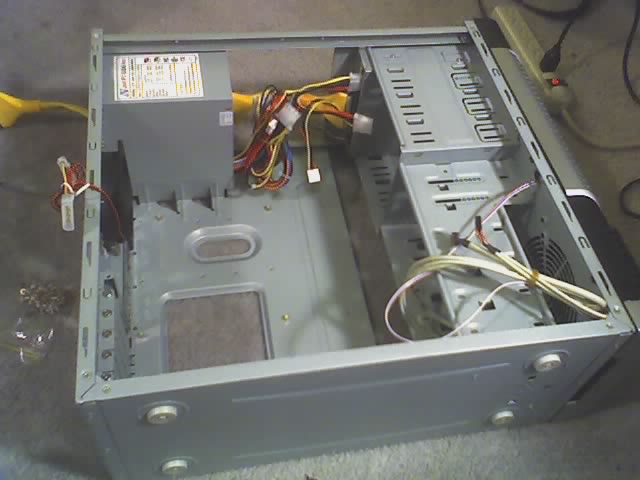
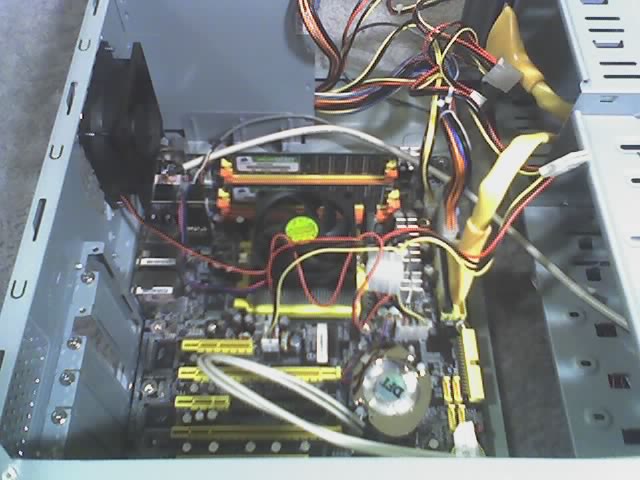
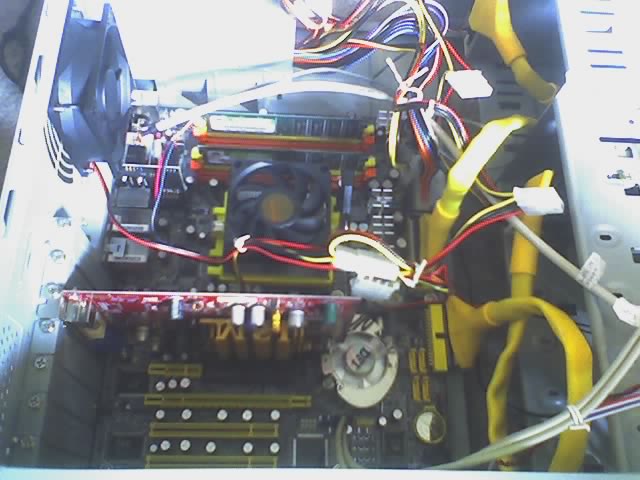
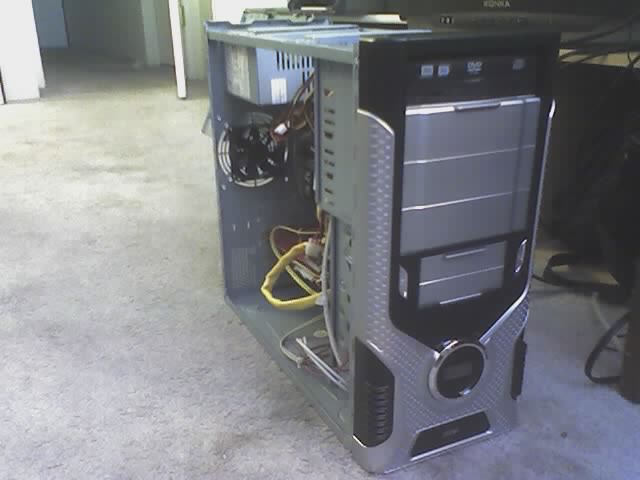
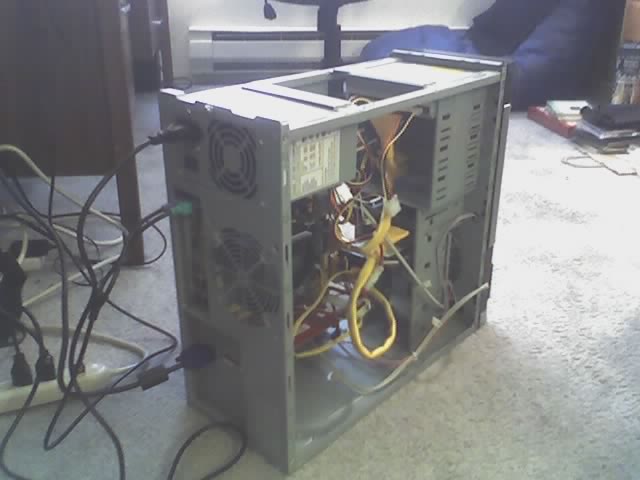
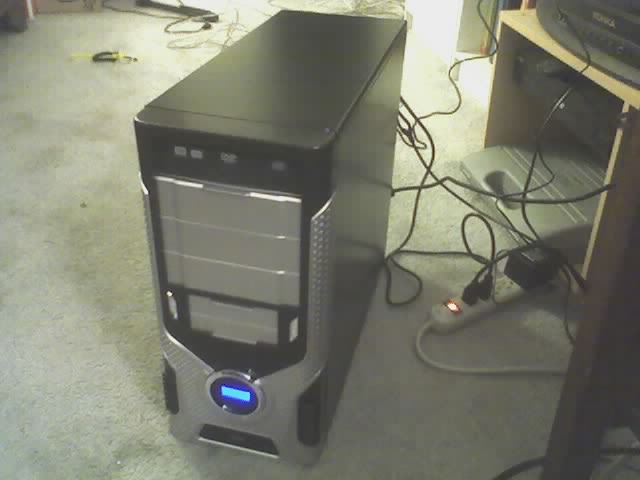
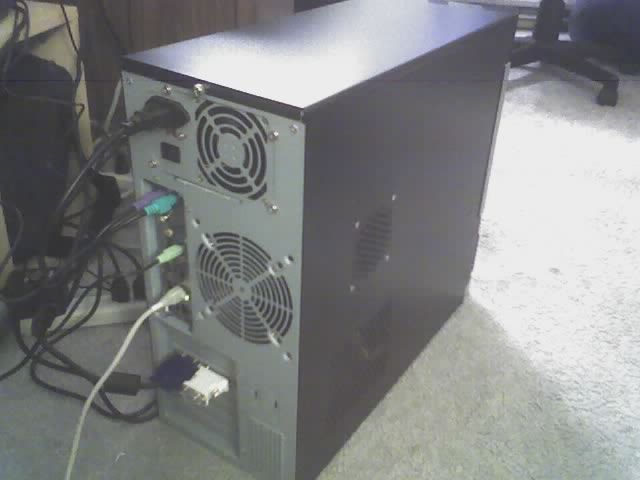
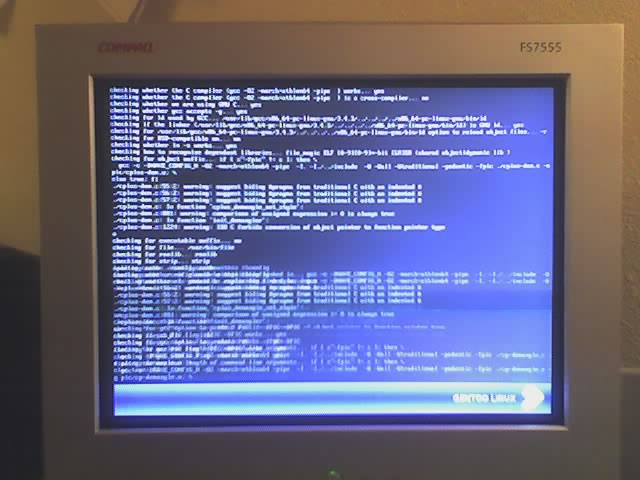
Because some people simply can't handle the true scope of my geekiness.
Showing posts with label gentoo. Show all posts
Saturday, June 25, 2016
Moving on from Gentoo to Ubuntu
When I started running Linux, Gentoo was a good fit for me because I wanted to learn what was going on under the covers. Gentoo (at least, eleven years ago) forced you to edit every config file manually, and the default install had you configuring and compiling your own kernel.
It was a great learning experience, and I'm glad I did it.
But at this point in my life, I have better things to do than to babysit weekly "emerge --avuDN world". I let my Gentoo box get out of date, I didn't want to bother learning how to set up my own systemd services, and when some update's dependency tree decided I was switching, it stopped booting.
I was able to recover it at the time, but then this week (and I had been putting off rebooting for months) my Linux machine (frodo) took a nose dive and kernel panicked. When I rebooted it, it was in such a state that I considered my OS installation 'totaled.'
For a while I've been running certain things off of my Linux box. I've got a couple of RSS feeds which trigger IFTTT events, but I also have @twooshbot now, and any more than a few of hours of downtime results in missed data. (I need to add some functionality to read more tweets at startup, which will help with that.)
Anyway, on Friday evening, I found myself in the position of needing to pick and install a new distro, and fast.
A quick trip to DistroWatch, and I decided on Ubuntu. It was dead simple, there are spoon-fed answers to almost any question online, and it's based on RedHat, which I am familiar with.
I was able to get @twooshbot back up and running that evening, and I've been slowly adding services and scripts to get back the functionality I'm used to (Dropbox, apache2, samba, vim, screen, etc.)
Anyway, I look forward to LTS support and dead simple updates.
Saturday, January 10, 2015
Gentoo is not ready for systemd
This is mostly just a rant into the aetherwebs, and it won't make a lick of sense to someone who doesn't manage a Gentoo Linux system.
You have been warned. Move along.
Yeah, I know systemd is optional (for now) on Gentoo. The thing is, unless you take specific steps to avoid it, it just happens to your system. This is a bad way to introduce such a fundamental change.
Several months (a year?) ago, my emerges simply stopped working. There were package conflicts all over the place, and I didn't have time to untangle everything and get to the bottom of it. So, I just stopped updating. Obviously, as a Gentoo user, I hated this.
Now, months later, I decided to build up a new system on my newly-obsoleted laptop. It looks to me like systemd is the future, so I go that route.
Here's what doesn't work, out of the proverbial box:
I still haven't figured out how to set up user-specific timer jobs that run on a schedule (say, every 15 minutes). The file formats are simple enough for services and timers, but I can't get ssytemctl to recognize the files I place in ~/.local/share/systemd/user/. In theory, though, that should all work, and it would be worth figuring out and moving forward.
It's also worth noting that the Gentoo Handbook and other documentation has thus far not been updated to support users building with systemd by default.
Here's what is flat-out broken for me, that I had working in my previous system:
See, most of what my Linux system does is act as a web server, and a Dropbox client. I have several cron jobs that rename files in Dropbox which get uploaded via IFTTT and other automated means, and sometimes these files have characters in their names that aren't valid on Windows.
Suffice to say that right now a systemd-based Gentoo system significantly fails to meet my specific needs. If it was just a desktop workstation, and I wanted the latest version of Gnome I would probably stick with that.
Hopefully these issues will get resolved in the future. Maybe I'll even help that to happen. In the meantime, my main Gentoo system is dropping systemd. I have other priorities.
You have been warned. Move along.
Yeah, I know systemd is optional (for now) on Gentoo. The thing is, unless you take specific steps to avoid it, it just happens to your system. This is a bad way to introduce such a fundamental change.
Several months (a year?) ago, my emerges simply stopped working. There were package conflicts all over the place, and I didn't have time to untangle everything and get to the bottom of it. So, I just stopped updating. Obviously, as a Gentoo user, I hated this.
Now, months later, I decided to build up a new system on my newly-obsoleted laptop. It looks to me like systemd is the future, so I go that route.
Here's what doesn't work, out of the proverbial box:
- Service configurations usually adjusted in /etc/conf.d/
- DHCP
- crons
- webalizer
- Dropbox (at least, the way I use it)
I still haven't figured out how to set up user-specific timer jobs that run on a schedule (say, every 15 minutes). The file formats are simple enough for services and timers, but I can't get ssytemctl to recognize the files I place in ~/.local/share/systemd/user/. In theory, though, that should all work, and it would be worth figuring out and moving forward.
It's also worth noting that the Gentoo Handbook and other documentation has thus far not been updated to support users building with systemd by default.
Here's what is flat-out broken for me, that I had working in my previous system:
- Dropbox running in the background, launched the first time my user logs in. Since Gentoo completely disables running anything out of /etc/init.d, I would need to write my own service file, which I'm not prepared to do.
- Webalizer running just before the apache log gets zipped up by systemd. This is probably as simple as specifying "run this task just before you rotate the apache log", but I don't know enough about the guts of systemd's log rotation for that.
See, most of what my Linux system does is act as a web server, and a Dropbox client. I have several cron jobs that rename files in Dropbox which get uploaded via IFTTT and other automated means, and sometimes these files have characters in their names that aren't valid on Windows.
Suffice to say that right now a systemd-based Gentoo system significantly fails to meet my specific needs. If it was just a desktop workstation, and I wanted the latest version of Gnome I would probably stick with that.
Hopefully these issues will get resolved in the future. Maybe I'll even help that to happen. In the meantime, my main Gentoo system is dropping systemd. I have other priorities.
Wednesday, May 06, 2009
If You're Not A Gentoo User, Move Along...
Whenever I spend time sifting through Internet forums looking for the solution to a technical problem, I like to post a description of the problem along with the solution in a straightforward manner, so that the next person who has the same problem will be able to find my post when they search. This is one such posts.
I ran into a frustrating error when updating the software on a Gentoo Linux system that hadn't been updated in a while.
I started with:
emerge --sync && emerge -avuDN worldAnd when that was (finally) done, I ran:
emerge -av --depcleanWhich uninstalled a bunch of packages. The problem came when I ran:
revdep-rebuild -- -avNothing would emerge. Nothing. Every package I tried to emerge would end in the error:
configure: error: C compiler cannot create executablesThe root problem turned out to be a bug with the way that the gcc ebuild updates from certain versions. Portage was configured to use a compiler version that no longer existed on the system. The solution was to run:
binutils-config -l binutils-config num gcc-config -l gcc-config numWhere num above is the numerical selection of one of the items on the list output by the previous command. My gcc-config selection told me when I selected it that it had a bug with GCC_SPECS and to re-emerge it, so I did that. I probably didn't have to, but it's good to be cautious and I had a few hours to kill (this is a 1GHz Pentium III system). After that, I was good to go.
Monday, April 13, 2009
That's What She sed
Lately, I've been uploading pictures to Twitter from my phone using TwitPic. Basically, you send them to a TwitPic e-mail address via multimedia messaging, and they are automatically posted to your Twitter account, along with the text from the subject.
This all works quite well, and they even supply an RSS feed of your pictures, which you can take and (among other thing) put on your blog's sidebar.
The problem was, when I put it in my blog sidebar, there was no thumbnail image. Other feeds that had images in them would have thumbnails, but not this one. This one just had a text link to the picture page. I found that disappointing.
So I examined feeds that showed thumbnails and the TwitPic feed to see what the difference was. Feeds that contained images within the feed content showed up in the Blogger widget with a thumbnail. But the TwitPic feed showed images. What was the difference?
The difference turned out to be CDATA. CDATA is a way to tell a feed reader, "Don't try to decipher my contents, just pass them along and leave the rendering to the end user application." It so happens that TwitPic's thumbnail images are within a CDATA block, and Blogger obediently ignores the CDATA contents when looking for images to display as a thumbnail.
So, how do I fix that? I need to read the feed, and for each item, locate the line that contains the thumbnail URL, and create a new attribute containing the thumbnail in a format that is decipherable to Blogger's widget. Using my digg feed as a model, I figured out what the end result should look like, but how to achieve it?
First, I tried Yahoo Pipes. Yahoo has a tool for processing feeds with a number of tools, controlled by a graphical pipe-looking interface. The problem is, none of the tools that I could find would add an attribute based on the transformed contents of another attribute. There were widgets that came close, but I couldn't get it to work, so I decided to host the feed myself and modify it using sed.
I had never used sed before, except when the exact command was given, so I didn't know how to use it, but I knew that it was a powerful enough tool to get the job done.
So I created a shell script on my Linux box, and a cron job to run it. The script basically downloaded the RSS feed from TwitPic to a local file, and then called sed on it with a particular set of parameters designed to extract the necessary information, and add the appropriate information in a format that is decipherable to Blogger.
In order to understand sed, I searched the Internet for a tutorial, and found this page from the Gentoo Linux Documentation to be the most helpful.
My sed command does two things, which are piped together:
- It adds an xmlns:media declaration, which allows me to use the media tag later on.
- It examines each CDATA line with the thumbnail URL, and below it, it adds a line with the media:thumbnail tag and the URL extracted from above.
sed -e 's/<rss version="[^"]*"/& xmlns:media="http:\/\/search.yahoo.com\/mrss\/"/g' $TMP_FILE | sed -e 's/\(http:\/\/twitpic.com\/show\/thumb\/[^"]*\).*/&\n <media:thumbnail url="\1" height="150" width="150" \/>/g' > $FEED_FILEI know it's possible to consilidate the two sed commands into one and do it in one pass, but this works. I may tweak it in further revisions. It is not necessary to use a yahoo-defined media tag, so I might modify the script later on to simply transform the CDATA portion into parseable encoded HTML. I might also add that I'm using Feedburner to host the feed. Basically, I change the file on my server, and Feedburner goes there to get it, and offers it to the rest of the world. That way if my server is offline, the feed is still active and available, and I don't have to deal with the traffic, just the Feedburner hits. If anyone else wants their TwitPic feed to have thumbnails available, let me know, and I can set one up for you on my server through Feedburner. (It's pretty easy, since the TwitPic username is passed in to the script as a parameter). I can't guarantee anything, but since it's in my interest to keep the script working and up-to-date, you don't have much to worry about. All I need to know is your TwitPic (Twitter) username.
- Update (2009-04-16): I have modified the code to accept all image formats, and be shorter.
Monday, August 25, 2008
Shell access to Vista from Linux
Yep, you read that right, I'm going to ssh into a Windows command prompt from Linux box.
The first question to answer is, "why on earth would anyone want to do that?" to which my reply is that I wanted to be able to be able to remotely access Elrond, my media box, since it's an always-on machine. I might want to download something directly from it, check what files are there, move them around, etc.
My initial thought was to do all of this from Linux, and then just use the default shares (e.g., \\elrond\c$, etc.) to move files, but I ran into trouble accessing default shares from Linux, and it's much more powerful to have command-line access, especially since I've been learning some VBScript lately.
Not content with (and not too familiar with) using only the native Windows Shell command-line utilities, I of course installed Cygwin first, and added "c:\cygwin\bin;" to the Path environment variable (put it right after "%systemroot%\system32;"--not before!). Presto! Instant access to all of the Linux utilities and programs that I'm used to.
See? This is much better than just Samba/CIFS mounts.
The next task was to get an SSH server. My requirements were:
- Free
- Runs on Vista as a daemon (I don't have to be logged in).
- Easy to configure
$ ssh elrond ssh: elrond: Name or service not knownOh, yeah, that's right. I use DHCP for my windows boxes, so they're not in the hosts file, and DNS doesn't resolve Windows names not in a domain. Sure, it works if I use the IP address, but using that over time would work havoc on my known_hosts file, and given the nature of DHCP, it's bound to bite me in the butt sooner or later. But Samba can find them, so there must be a way. It took me about a minute (and some bash-completion) to remember the proper command:
$ nmblookup elrond querying elrond on 192.168.5.255 192.168.5.143 elrond<00>I thought about setting up a script that would parse out the IP address with egrep and then pass it along to the ssh command, but I like a nice clean known_hosts file. There had to be a way to log on to the host by name, so I turned to the Internet. It turns out that the solution is called WINS. Using it requires that "wins" be in the hosts line of nsswitch.conf, like this:
hosts: files dns winsIt also (at least on Gentoo) requires that Samba be compiled with WINBIND support (which is not WINS). This was a rather non-intuitive step, and I have my ignorance to thank for trying WINBIND support in the first place. Okay, at this point I have it all up-and-running!
tim@athena ~ $ ssh elrond tim@elrond's password: Permission denied, please try again. tim@elrond's password: Permission denied, please try again. tim@elrond's password: Received disconnect from 192.168.5.143: 2: Too many attempts.Wait, what? This worked before! "ssh Tim@elrond" didn't work, and neither did "ssh 192.168.5.142". The server is up and responding. I was using the right password, but something else was wrong. After a little bit of poking around on freeSSHd's website (the forums are, thankfully, rather sparse) I was able to find this, which it turns out is also linked directly from their homepage. Apparently it's a common problem. When running freeSSHd as a service, you have to configure it in "elevated mode"--even if your account is an administrator, that is, you have to explicitly launch the configuration program with elevated privileges, or else you won't be altering the settings for the system, just for the logged-on user. That's why it worked when I had tested it before (my first clue should have been that when I launched the configuration program, I had to stop the service to keep it from saying it was already running. Another problem I ran into was this:
$ ssh elrond Tim@elrond's password: No console window found! Unable to emulate VT100 terminal. Unable to execute command or shell on remote system: Failed to Execute process. Connection to elrond closed.Basically, I can log in, but it won't give me a terminal. It fails, and kicks me out. The solution was on the forums:
Problem already reported. Disable "use new console engine" until we find a solution.So I did that, and now it finally works. Update: see comment(s).
Thursday, June 07, 2007
My FreeBSD Adventure With Thebeast
Warning: not for the faint of heart. This is a pretty long chronicle, full of technical jargon, but it might prove useful/entertaining to Linux/BSD users.
A while ago I bought a computer from the surplus store. There were a couple of things that were noticeable about this computer: the first was that when I turned it on, the hard drives inside were exceptionally loud, and the second was its identification:
The hard drive noise turned out to be an old SCSI hard drive that had been hooked up to the power supply, but as there is no SCSI support, not to the motherboard. I took it out, obviously, but because of its roar, and the markings on the case, I decided that this computer's name would be known on the network as thebeast (not to be eschatologically confused with the Antichrist).
Another beast-like quality of this computer is its chimera-like nature: there are four different operating systems installed in a quad-boot configuration. An interesting thing about the hard drive that came with this computer is that it's a 20GB hard drive, but Windows thinks it's a 7.8GB hard drive. There apparently are some contradictory drive geometry settings programmed onto the drive. I suspect that this was done in order to keep the same standard part number and specs, while upgrading to newer, more often-produced hardware: it's been a while since they've made 8GB desktop hard drives in quantity.
This of course means that if ever Windows tries to install on the drive, it totally screws up the partition table. I initially tried to install it on a 4 GB partition at the beginning of the disk, but it insisted on writing its own. "Fine," I said, and I let it write its own table. This worked, but as soon as I tried to partition the rest of the disk on the same table, Windows wouldn't boot anymore. What I ended up doing was taking a 3GB hard drive that I had around and installing Windows 2000 Pro on that. Of course, to do this, I had to set it as the primary drive, install it, and then switch it back to the secondary drive (so that I could use Grub, a boot loader, to pick an operating system at boot time). Windows doesn't play nice with other operating systems. It thinks it owns the disk. To get it to boot off of the second disk, you even have to trick it into thinking that its disk is really first. Here's my grub.conf file:
Getting FreeBSD and Linux to see Windows' NTFS partition was pretty easy. In Linux the line in /etc/fstab looks like this:
Getting FreeBSD to recognize Linux partitions is as easy as identifying the partitions and filesystem:
Installing Gentoo/FreeBSD was as simple as following the provided online instructions. They were written by Gentoo/Linux developers who mess with FreeBSD, not FreeBSD developers, which means I could follow them more naturally: they basically gloss over the similarities, while slowing down to explain the differences.
I went with the LiveCD option for installing, since I had no existing installation: I downloaded and burned a FreeSBIE CD, and followed the guide, deviating where necessary. My biggest BSD-related installation issue was getting the right Ethernet driver configured in /etc/conf.d/net. In Linux, you don't care what the driver is called, you just configure it as net.eth0, but in BSD, I had to know that I was using the xl driver, so my init script was called net.xl0.
Also, I ran into trouble with the /etc/conf.d/net config file. In Linux, I had this:
Configuring and compiling the kernel was relatively straight-forward, FreeBSD's handbook is an excellent resource, and I used it extensively later on in the actual installation.
When I got to /etc/fstab, I was accustomed to having the /tmp directory (as well as some others) on its own virtual memory disk, so I looked up how to do that. Here's the line from /etc/fstab:
In Linux:
Installing FreeBSD
I burned the FreeBSD CD ISOs that I had downloaded via Bittorrent, pulled up the handbook, and dove in. This time I was able to follow the handbook much better than the last time I had done the installation, and thanks to the copious amount of poking around the system I had done during my Gentoo/FreeBSD install, I was up and running in no time. I customized the kernel to exclude hardware I didn't have, and also to build my sound driver. To build it, I added the following to my kernel config file:
I searched the forums online to see if others had had similar problems with the FreeBSD psm driver. I found quite a few people who had issues with touchpads, and a few who had trouble with KVMs. I found solutions to the touchpad issues by adjusting the flags passed into the driver from the kernel configuration device.hints file, but those flags were specific to touchpad initialization and waking up from a laptop's suspended state. No one that I could find had fixed the KVM issue in a way that was helpful for me. What worked for most people was recompiling the kernel with
I installed ports (FreeBSD's package management system), and thus far I've only installed packages using the "pkg_add -r name" method, although I do hear you can install directly from source if you so desire. In my experience, it's been pretty slick with just binary packages, and I'm content for now. I'm not nearly as adept at ports' intricacies as I am with Gentoo's portage.
Here's what I ended up doing with the graphical interfaces:
A while ago I bought a computer from the surplus store. There were a couple of things that were noticeable about this computer: the first was that when I turned it on, the hard drives inside were exceptionally loud, and the second was its identification:
The hard drive noise turned out to be an old SCSI hard drive that had been hooked up to the power supply, but as there is no SCSI support, not to the motherboard. I took it out, obviously, but because of its roar, and the markings on the case, I decided that this computer's name would be known on the network as thebeast (not to be eschatologically confused with the Antichrist).
Another beast-like quality of this computer is its chimera-like nature: there are four different operating systems installed in a quad-boot configuration. An interesting thing about the hard drive that came with this computer is that it's a 20GB hard drive, but Windows thinks it's a 7.8GB hard drive. There apparently are some contradictory drive geometry settings programmed onto the drive. I suspect that this was done in order to keep the same standard part number and specs, while upgrading to newer, more often-produced hardware: it's been a while since they've made 8GB desktop hard drives in quantity.
This of course means that if ever Windows tries to install on the drive, it totally screws up the partition table. I initially tried to install it on a 4 GB partition at the beginning of the disk, but it insisted on writing its own. "Fine," I said, and I let it write its own table. This worked, but as soon as I tried to partition the rest of the disk on the same table, Windows wouldn't boot anymore. What I ended up doing was taking a 3GB hard drive that I had around and installing Windows 2000 Pro on that. Of course, to do this, I had to set it as the primary drive, install it, and then switch it back to the secondary drive (so that I could use Grub, a boot loader, to pick an operating system at boot time). Windows doesn't play nice with other operating systems. It thinks it owns the disk. To get it to boot off of the second disk, you even have to trick it into thinking that its disk is really first. Here's my grub.conf file:
As you may be able to tell, when the system boots from the BIOS, it gets a menu screen with the following choices:default 0
fallback 1
timeout 15
splashimage=(hd0,0)/boot/grub/splash.xpm.gz
title Gentoo Linux 2.6.20-r8
root (hd0,0)
kernel /boot/gentoo/kernel-linux-2.6.20-gentoo-r6 root=/dev/hda6 video=i810fb:accel
savedefault
title Gentoo Linux 2.6.20-r8 (rescue)
root (hd0,0)
kernel /boot/gentoo/kernel-linux-2.6.20-gentoo-r8 root=/dev/hda6 init=/bin/bb
title Gentoo/FreeBSD 6.2
root (hd0,1,d)
kernel /boot/loader
savedefault
title FreeBSD 6.2
root (hd0,2,d)
kernel /boot/loader
savedefault
title Windows 2000 Professional
# Make Windows think its disk is first
map (hd1) (hd0)
map (hd0) (hd1)
rootnoverify (hd1,0)
makeactive
chainloader +1
savedefault
- Gentoo Linux 2.6.20-r8
- Gentoo Linux 2.6.20-r8 (rescue)
- Gentoo/FreeBSD 6.2
- FreeBSD 6.2
- Windows 2000 Professional
Getting FreeBSD and Linux to see Windows' NTFS partition was pretty easy. In Linux the line in /etc/fstab looks like this:
/dev/hdb1 /mnt/win2k ntfs ro,nosuid,nls=utf8 0 0 # ~3.0GiBand in FreeBSD it looks like this:/dev/ad1s1 /mnt/win2k ntfs ro 0 0 # ~3.0GiBThey're essentially the same. Linux uses "hd" (for an IDE hard drive), "b" meaning the second drive (the first drive is "hda"), and "1" denoting the first (and in this case, only) partition on that drive. FreeBSD identifies devices by the name of the driver used to access them in stead of their function as in Linux. "ad" refers to the disk driver, "1" refers to the second disk (ad0 is the first disk), "s" is for 'slice' which is the BSD word for a what Linux and Windows call primary partitions, and "1" refers to the first slice. This is, by the way, distinct from the way that Grub refers to hard drives. Grub calls your first hard drive (hd0), and its first partition is (hd0,0). If that partition has sub-partitions, as BSD or Solaris UFS slices are wont to have, then your root slice on a second partition on a third disk would be: (hd2,1,a).The first partition of the first disk:Simple, right? It took a fair amount of searching and sifting to find all that out.
Linux: /dev/hda1
Grub: (hd0,0)
BSD: /dev/ad0s0
The first sub-partition in the first slice of the first disk:
Grub: (hd0,0,a)
BSD: /dev/ad0s0a
Getting FreeBSD to recognize Linux partitions is as easy as identifying the partitions and filesystem:
Getting Linux to see my Gentoo/FreeBSD partition was equally straight-forward, since there were no sub-partitions, though I did have to specify the ufstype attribute:# Gentoo Linux
/dev/ad0s6 /mnt/linux reiserfs rw,noatime,nodev 0 0
/dev/ad0s1 /mnt/linux/boot ext2fs rw,noatime,nodev 0 0
/dev/ad0s7 /mnt/linux/usr reiserfs ro,noatime,nodev 0 0
/dev/ad0s8 /mnt/linux/var reiserfs ro,noatime,nodev 0 0
/dev/ad0s9 /mnt/linux/home ext3 rw,noatime,nodev 0 0
Getting Linux to see UFS sub-partitions was a bit trickier. Doing an "fdisk -l" only showed the main slice (/dev/hda3), not the sub-partitions, but entering "cat /proc/partitions" revealed the device names of the missing sub-partitions. (I suppose ls /dev/hd*) would have revealed the names, too). It was a bit tricky to figure out which device went with which. The extended partition with the Linux partitions on it began at hda5, and where those left off was where the UFS sub-partitions began, but they weren't in the order in which they were created. UFS apparently assigned the first sub-partition I had created within this slice (which was a swap partition, shared with the Gentoo/FreeBSD install) as ad0s3b, reserving the "a" slot for my / partition, and making the /var and /usr partitions "d" and "e" respectively. Therefore, this is how I mapped my drives from Linux:/dev/hda2 /mnt/gfbsd ufs ro,ufstype=ufs2,nosuid,nodev 0 0 # 3586MiB
After I had Windows and Linux up and running (Gentoo is my favorite flavor of Linux, so that's what I used), I set my sights on FreeBSD. This was done for a number of reasons:# First Hard Drive
/dev/hda1 /boot ext2 noauto,noatime 1 2 # 16MiB
/dev/hda2 /mnt/gfbsd ufs ro,ufstype=ufs2,nosuid,nodev 0 0 # 3586MiB
#/dev/hda3 is the freebsd slice: hda10,11,12,13 # 7680MiB
#/dev/hda4 is the extended partition: hda5,6,7,8,9
/dev/hda5 none swap sw 0 0 # 1024MiB
/dev/hda6 / reiserfs noatime,user_xattr 0 1 # 256MiB
/dev/hda7 /usr reiserfs noatime,user_xattr 0 1 # 3586MiB
/dev/hda8 /var reiserfs noatime,user_xattr 0 1 # 256MiB
/dev/hda9 /home ext3 noatime,user_xattr 0 1 # ~3.8GB
/dev/hda10 /mnt/freebsd ufs ro,ufstype=ufs2,nosuid,nodev 0 0 # 7680MiB
#/dev/hda11 /mnt/freebsd is the FreeBSD swap partition # 512MiB
/dev/hda12 /mnt/freebsd/var ufs ro,ufstype=ufs2,nosuid,nodev 0 0 # 1024MiB
/dev/hda13 /mnt/freebsd/usr ufs ro,ufstype=ufs2,nosuid,nodev 0 0 # ~5.3GB
# Second Hard Drive
/dev/hdb1 /mnt/win2k ntfs ro,nosuid,nls=utf8 0 0 # ~3.0GB
- With a chimera machine called thebeast, one must, must have a BSD install. I mean, have you seen their 'Beastie the BSD daemon' mascot? BSD is the essence of geeky hotness, and with that "E280666" sticker on the box, who could resist? It was a sign.
- Operating systems are a hobby of mine, and I've never worked with a BSD before. Caleb had mentioned that I should look at BSD, because Mac OS X is based on it.
- I hear Gentoo is a very BSD-like Linux, so it wouldn't be totally foreign, and there's even a project to get Gentoo's Portage on BSD.
Installing Gentoo/FreeBSD was as simple as following the provided online instructions. They were written by Gentoo/Linux developers who mess with FreeBSD, not FreeBSD developers, which means I could follow them more naturally: they basically gloss over the similarities, while slowing down to explain the differences.
I went with the LiveCD option for installing, since I had no existing installation: I downloaded and burned a FreeSBIE CD, and followed the guide, deviating where necessary. My biggest BSD-related installation issue was getting the right Ethernet driver configured in /etc/conf.d/net. In Linux, you don't care what the driver is called, you just configure it as net.eth0, but in BSD, I had to know that I was using the xl driver, so my init script was called net.xl0.
Also, I ran into trouble with the /etc/conf.d/net config file. In Linux, I had this:
but in FreeBSD, I needed to remove the parentheses, and I also discovered that I should use "via" in stead of "gw" or "gateway" to specify the default route to the Internet.dhcpcd_eth0="-t 15 -N"
dhcp_eth0=( "nontp nonis" )
config_eth0=( "192.168.5.16/24 brd 192.168.5.255" )
routes_eth0=( "default gateway 192.168.5.1" )
fallback_eth0=( "dhcp" )
One thing that was nice about doing Gentoo/FreeBSD before the actual FreeBSD install was that in Gentoo/FreeBSD, the init script layout is the same, and you install all of your userland applications through portage, which with I'm very familiar, and so I was tweaking use flags, configuring daemons and services, and using package.keywords without so much as batting an eye.dhcpcd_xl0="-t 15 -N"
dhcp_xl0=" 'nontp nonis' "
config_xl0=" '192.168.5.16/24 broadcast 192.168.5.255' "
routes_xl0=" 'default via 192.168.5.1' "
fallback_xl0=" 'dhcp' "
Configuring and compiling the kernel was relatively straight-forward, FreeBSD's handbook is an excellent resource, and I used it extensively later on in the actual installation.
When I got to /etc/fstab, I was accustomed to having the /tmp directory (as well as some others) on its own virtual memory disk, so I looked up how to do that. Here's the line from /etc/fstab:
In Linux:
In BSD:tmpfs /tmp tmpfs size=512M,nr_inodes=1M,mode=1777,noexec 0 0
Unfortunatley, the Gentoo/FreeBSD project doesn't enable you to easily install just anything. I was able to install X with gnome-light, and firefox, as well as a few other things, but the majority of ebuilds in the portage tree aren't ready for installation on FreeBSD out of the box. To get a real FreeBSD installation, I was going to have to do it the right way. One program that I annoyingly could not install was fortune-mod. An earlier installation of Gentoo/FreeBSD had successfully installed with it, but then the ebuild had been updated to a new version (and all older versions removed), and I was left without a viable fortune program. A tragedy, I know. Anyway, onward.md /tmp mfs rw,-s100m 0 0
Installing FreeBSD
I burned the FreeBSD CD ISOs that I had downloaded via Bittorrent, pulled up the handbook, and dove in. This time I was able to follow the handbook much better than the last time I had done the installation, and thanks to the copious amount of poking around the system I had done during my Gentoo/FreeBSD install, I was up and running in no time. I customized the kernel to exclude hardware I didn't have, and also to build my sound driver. To build it, I added the following to my kernel config file:
and the following line to the /boot/loader.conf file to have the module automatically loaded:# Sound card support customized to this machine
device sound
device snd_ich
snd_ich_load="YES" # Intel ICHThen I ran into a bit of a problem. In my previous installations, my mouse had worked just fine. I had been successfully using a 2-port Iogear KVM switch between a small Linux box (minix) and thebeast, but I had since switched to using a 4-port LinksKey KVM (with audio support) between four different boxes, and the mouse wouldn't work in BSD. It worked in Windows and Linux just fine, but in FreeBSD, no matter what kernel I used, and even if I used the FreeSBIE LiveCD, the mouse pointer would be there on the screen in X, but it wouldn't move or click. What was more, I discovered that the mouse device was absent from /dev. It was quite frustrating to finally have a fancy graphical environment up and running on BSD, and not be able to use it, except by keyboard shortcuts and tabbing.I searched the forums online to see if others had had similar problems with the FreeBSD psm driver. I found quite a few people who had issues with touchpads, and a few who had trouble with KVMs. I found solutions to the touchpad issues by adjusting the flags passed into the driver from the kernel configuration device.hints file, but those flags were specific to touchpad initialization and waking up from a laptop's suspended state. No one that I could find had fixed the KVM issue in a way that was helpful for me. What worked for most people was recompiling the kernel with
adjusted to higher values, but this didn't help me. What I found to be the most help was the psm man page and the dmesg output. Adjusting the KBD_RESETDELAY didn't help at all, even at ridiculously high values, because I found that the mouse was failing to reset, or at least not properly responding, no matter how long the driver waited for a response. Increasing the logging threshold using the kernel following kernel config options:options KBD_RESETDELAY=200
options KBD_MAXWAIT=5
...yielded the following in dmesg:options PSM_DEBUG=2
options KBDIO_DEBUG=2
This combined with the psm man page led me to a flag in /boot/device.hints that disables the initialization attempt at boot time:psm0: current command byte:0065
psm0: failed to reset the aux device.
This gave me the following in dmesg (and /var/log/messages) with PSM_DEBUG still at 2:hint.psm.0.flags="0x400"
...but I still had no mouse movement in X, whereas before, I had been able to use this mouse just fine. A few hardware options presented themselves: I could use a serial mouse that I have stuffed in a drawer in my room; I could use an adapter to make the PS/2 keyboard and mouse plug into a USB port in stead, and thus use a different driver, or at least a different initialization routine; I could get an extra mouse, or a different mouse, but that defeats the purpose. This should work. It occurred to me finally to specify the mouse device directly in xorg.conf; in stead of /dev/sysmouse, to use /dev/psm0:psm0: current command byte:0065
psm0: found IntelliMouse Explorer
psm0:flags 0x400 irq 12 on atkbdc0
psm0: [GIANT-LOCKED]
psm0: model IntelliMouse Explorer, device ID 4-00, 5 buttons
psm0: config:00000400, flags:00000008, packet size:4
psm0: syncmask:08, syncbits:00
And it worked. Yay!Section "InputDevice"
Identifier "Mouse0"
Driver "mouse"
Option "Protocol" "auto"
# Option "Device" "/dev/sysmouse"
Option "Device" "/dev/psm0"
Option "ZAxisMapping" "4 5 6 7"
Option "Buttons" "6"
EndSection
I installed ports (FreeBSD's package management system), and thus far I've only installed packages using the "pkg_add -r name" method, although I do hear you can install directly from source if you so desire. In my experience, it's been pretty slick with just binary packages, and I'm content for now. I'm not nearly as adept at ports' intricacies as I am with Gentoo's portage.
Here's what I ended up doing with the graphical interfaces:
- Since Gentoo/FreeBSD doesn't work with KDE yet, and Gnome is minimal, I went with Xfce4, which is an excellent desktop environment (although I'm using GDM as the login manager: Gentoo has an excellent gdm-themes package, which I unmasked with the x86 keyword in order to install). I'm also using Xfce4 on a 200MHz Pentium-MMX machine that I'm tinkering with (it's called crunchy, and I paid a whopping $5 for it). The Gentoo/FreeBSD partition is also relatively small, so I don't think I'm ever going to install a full Gnome on it, and certainly not KDE.
- My usual desktop environment for Linux has been Gnome. I also use KDE occasionally, but I prefer Gnome, so in order to be consistent, the Linux install uses GDM and Gnome by default.
- I installed GDM, Gnome, Fluxbox, Xfce, and some others, but I decided that my FreeBSD system would use KDM for graphical login and KDE as the default desktop.
Saturday, November 25, 2006
Triple-Booting
For a short period of time I was triple-booting on my laptop with Gentoo Linux, Windows XP, and Windows Vista. I compiled Linux from scratch and got everything working and set up, even the WiFi card, but in the end, it wasn't worth it to have to keep rebooting to switch operating systems, especially since the applications I used most were exactly the same across each platform: Firefox and Gaim.
I kept XP around because my printer isn't supported in Vista. After a week of rebooting just to print, and dealing with Windows file permissions hell, and keeping files synchronized across three operating systems, I decided to wipe the hard drive and just go with Vista. If I want to print, I can print from Athena in Linux.
The main benefit from the end user perspective of Vista is its pretty interface. There's a lot that's changed under the covers, but chances are most users aren't going to notice that so much, especially in day-to-day use.
Mostly I installed Linux to prove to myself that it could be done. My laptop is relatively new hardware, and I wanted to see how the process of getting off the ground worked. I don't think Linux is a good OS choice for a laptop. A desktop or server, yes, but not a laptop. Linux was not meant to be turned on and off all the time and adjust to its environment on the fly.
Windows XP
Windows Vista
Gentoo Linux with GNOME desktop
Gentoo Linux with KDE desktop, just for show: this is the default without any customizations, since I didn't really use KDE.
Windows XP
Windows Vista
Gentoo Linux with GNOME desktop
Gentoo Linux with KDE desktop, just for show: this is the default without any customizations, since I didn't really use KDE.
Sunday, August 20, 2006
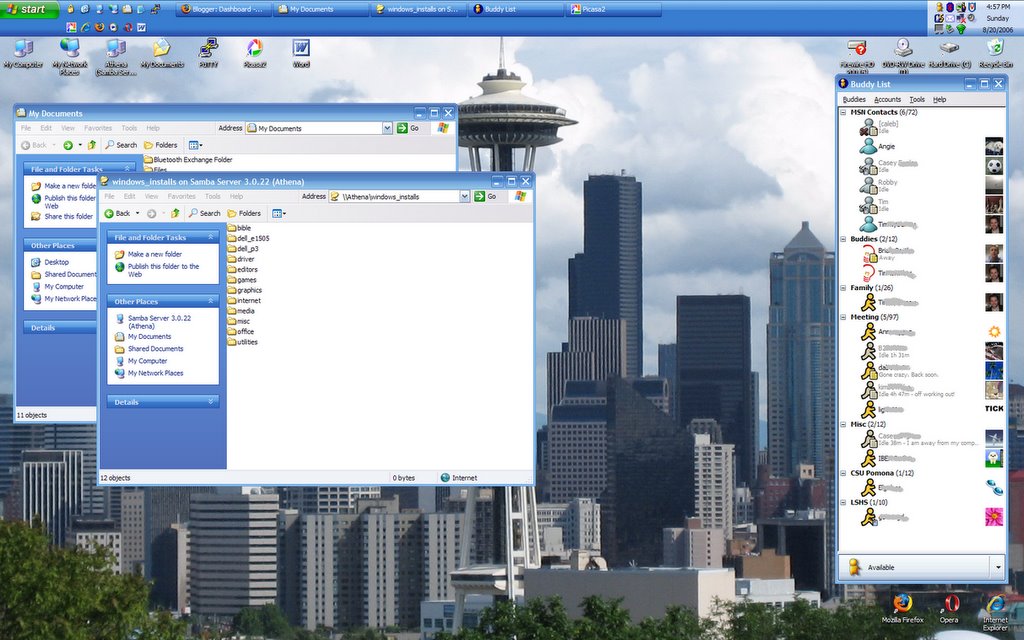
Widescreen

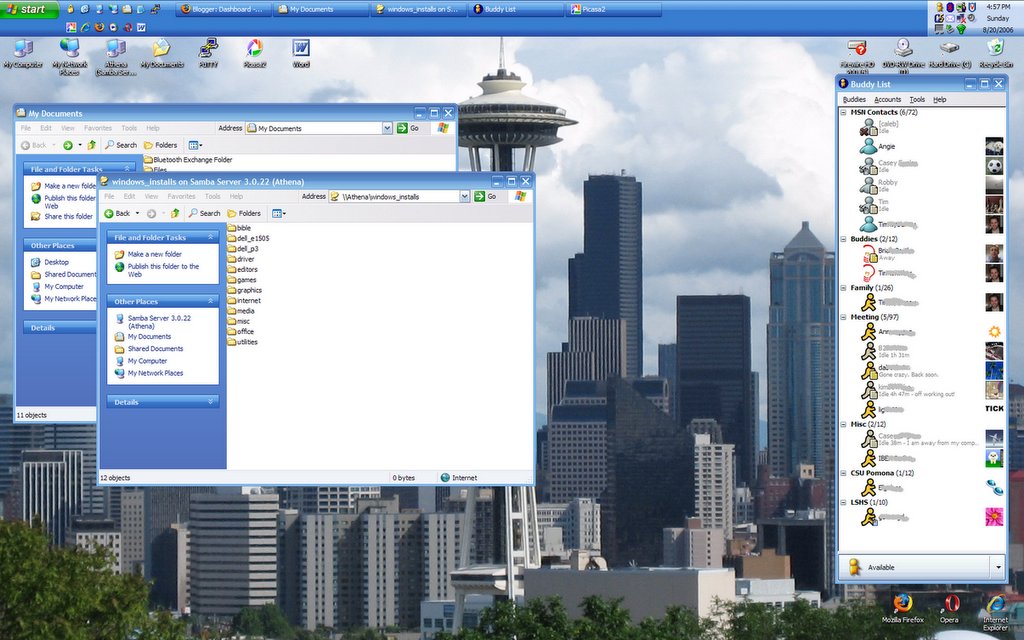
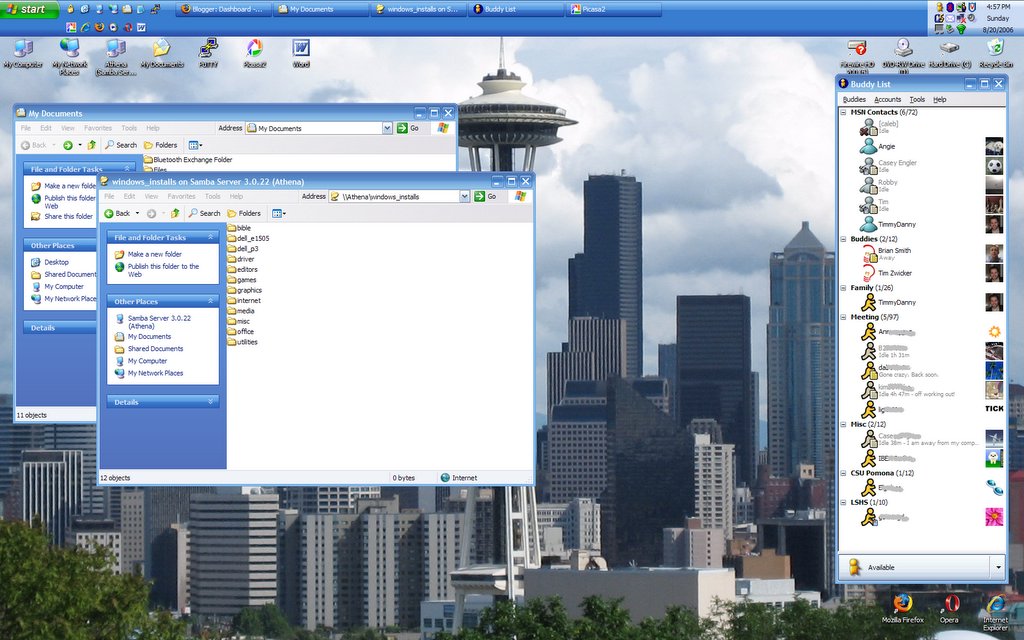
No, that's not my Linux box, though for about a day I did have Gentoo installed, and I'll probably make another go at it at some point in the future. I've been pretty busy lately. I'll try not to keep posting just Windows things on a blog that's supposedly about my Linux box. If you'll notice though, the windows_installs directory is hosted on a Samba share on Athena. See, they can play nice together.
I also have Vista beta on another partition on this computer, but there aren't Vista drivers for most of the hardware, most notably it doesn't recognize the screen as a wide screen, so Vista is pretty much a no-go until Dell, nVidia, and/or Microsoft gets their act together on that.
Here's a snapshot of my desktop. The screen is much brighter and crisper than my old laptop. It's actually only 80 pixels wider than my old laptop screen (and 150 pixels shorter), so in some ways it can feel a bit cramped vertically. I think the pixels are about the same size physically. I'm adjusting and experimenting with different ways to arrange things, for example, the icons across the top and bottom are a holdover from my 1600x1200 days. I used to put the web browser just below the top row of icons, but now I tend to put it over them slightly. I'm thinking of moving them more toward the side of the screen.
Gaim 1.5 had a bug that made it crash when signing on to the MSN Messenger service (apparently MSN changed the way they did logins, and it exposed the bug) so I installed the beta 2.0 version of Gaim, and I like what they're doing with it. The new sounds are a big improvement: much less abrasive. They also have a "Psychic mode" plugin that looks like it'll be fun to play around with.... (Note: I have obscured some screennames in case there's a stalker or an IM spammer with an OCR-bot.)
The new computer is quite snappy; it starts up fast, and goes in and out of sleep without problems. The speakers are awesome: in fact, this is the perfect laptop for watching widescreen video on, which I have done. Another nice feature is the built-in card reader. A single slot takes SD/MMC/MS/Pro/xD cards.
Tuesday, May 16, 2006
I Promise This Isn't A Mac Blog
New MacBooks today.
Okay, not that color isn't important, but slapping on an extra hundred and fifty bucks just to get the case in black? The price difference is $200 and you can upgrade the hard drive on the white model for $50. They are otherwise identical.
I suppose it'll make it easier to spot thesuckers cool people.
Oh, wait. These people bought Macs. Silly me. (Interpret that how you want.)
In all seriousness, the mid-range white model isn't a terrible deal. If you don't mind integrated graphics and low resolution, and you don't mind (or prefer) a small laptop screen, this might just be for you.
At the moment, I'm convinced that if I bought one of these, I would end up loading Vista (beta in June) and/or Gentoo on it. Is there a right/middle-click driver for the touchpad available for Linux? I might have to write one. Not that I would ever get it done. I still haven't found time in my busy life to get MythTV up and running on athena.
Okay, not that color isn't important, but slapping on an extra hundred and fifty bucks just to get the case in black? The price difference is $200 and you can upgrade the hard drive on the white model for $50. They are otherwise identical.
I suppose it'll make it easier to spot the
Oh, wait. These people bought Macs. Silly me. (Interpret that how you want.)
In all seriousness, the mid-range white model isn't a terrible deal. If you don't mind integrated graphics and low resolution, and you don't mind (or prefer) a small laptop screen, this might just be for you.
At the moment, I'm convinced that if I bought one of these, I would end up loading Vista (beta in June) and/or Gentoo on it. Is there a right/middle-click driver for the touchpad available for Linux? I might have to write one. Not that I would ever get it done. I still haven't found time in my busy life to get MythTV up and running on athena.
Sunday, August 21, 2005
emerge --sync -avuDN world
Well, it's been a while since my last post ans a lot has happened. I figured out how to change the kernel using menuconfig, so I updated it without losing my automatic hardware detection. I had to re-install the nVidia drivers with the new kernel, and there was some initial instability, although I attribute that entirely to my roommate turning off poor athena in the middle of a huge emerge. He just decided that he would switch it off while I was gone and hit the power switch in the back. What a jerk. Anyway, the hard drive took a few boot cycles and some tweaking to recover, and I think something was in the middle of being copied over somewhere, because athena actually froze a couple of times! I thought it was the new kernel, especially since the OpenGL screensavers weren't working under KDE, but after a (non-roommate-interrupted) "emerge --sync -avuDN world" (which updates all the software on my computer to the latest available stable version), there was no more instability.
The OpenGL thing it turns out is a problem with KDE 3.4, which I discovered on this forum thread and posted my solution.
I had a movie night at my apartment last friday, and athena performed admirably. She served as the jukebox before and after the flick. We also watched some video files that I have on the hard drive, and used Gaim to mess with poor stephanie's head. Basically, she had no idea who was talking to her using my screenname. We were passing the keyboard around. Poor Caleb got blamed for it at first (he wasn't even there). Towards the end, she finally figured out she was talking to TJ, who had been doing the majority of the typing.
Anyway, I still haven't messed with the TV tuner, or gone 64-bit. One option I'm considering is doing both at once. I'm feeling adventurous.
The OpenGL thing it turns out is a problem with KDE 3.4, which I discovered on this forum thread and posted my solution.
I had a movie night at my apartment last friday, and athena performed admirably. She served as the jukebox before and after the flick. We also watched some video files that I have on the hard drive, and used Gaim to mess with poor stephanie's head. Basically, she had no idea who was talking to her using my screenname. We were passing the keyboard around. Poor Caleb got blamed for it at first (he wasn't even there). Towards the end, she finally figured out she was talking to TJ, who had been doing the majority of the typing.
Anyway, I still haven't messed with the TV tuner, or gone 64-bit. One option I'm considering is doing both at once. I'm feeling adventurous.
Saturday, July 30, 2005
xdm and Xsession
Okay, so I was sort of right about the initrd being missing. Turns out a custom kernel wouldn't have that, but then it's not supposed to. In stead it has a system map. I'm not quite sure how it all works, but I did get the ALSA drivers installed as a module on my old kernel, so I have sound.
I started putting music and movie files onto athena. Apparently the samba client in KDE is broken, because I have to use Gnome to access shared folders on Windows machines. The server works fine, but I would like to get it set up a little better. Currently I just have a shared folder which resides in the /tmp directory that I use as a drop box when transferring files that aren't in shares from Windows over the network.
I still haven't messed with the TV tuner. I think that'll be my next big adventure. Speaking of adventures, I did "emerge --update world" which updated all the software on my machine at once earlier this week. I had some trouble and had to use a debug version of a library in kdewebdev, but once past that hurdle, it chugged right through over 60 updates. In the end, about 50 condig files had new versions. I tried using etc-update to merge the files in with my old ones (to keep the old changes I'd made, while applying the new changes the developers had made), but it was getting late, and the interface was confusing, so I just overwrote all my old config files.
Well, upon restarting, I was greeted with the xdm logon screen, and upon entering username and password, was logged on to a system with the most basic interface I had ever seen. It was grayscale (with about 4 shades of gray) and the only thing useful I could do was open terminal windows. So, that's what I did, and I soon figured out that one of those config files must have been overwritten. Turns out, I had overwritten the file that specified which display manager to use, hence xdm (the default) in stead of gdm. Also, in stead of logging me into KDE or Gnome, it had logged me into the default Xorg desktop environment/window manager. So, I fixed the config file (/etc/rc.conf), along with the hostname and domainname files that had also been overwritten, and I was good to go.
I set up an account for RFH, and configured KDE to look and behave exactly like Windows XP, so he'll feel right at home and won't have to learn anything or expand his mind at all.
In answer to all his "just get Windows Media Center" duckspeak, I have this to say: It's not about having something that works, it's about making something that works. It's about learning and customization, it's about designing and manipulating a system to fit your liking. Otherwise I would have just bought an off-the-shelf DVR, plugged it in, and then sat back down on my butt to watch TV. It would have been much cheaper, and a lot less time consuming. That's why it's called a 'hobby.'
Sunday, July 24, 2005
Kernel Panic
Note to self: do not overwrite the kernel without first saving a backup of one that is known to work.
Saturday we got the cable installed, so it was the first time in almost a month that Athena had an Internet connection. I installed quite a few programs, including Firefox, Thunderbird, and OpenOffice, Azureus and a bunch of small utilities and minor apps.
Then I decided to try to make the sound work, and for this, I had to add the driver to the kernel. The kernel is the core of the operating system and one of its jobs is to get everything else up and running, including hardware. Consequentially, the kernel must be able to read the boot disk, and initialize hardware. I thought I had done everything right: I found a Howto on the subject, which told me to look up which driver I needed to on a table, which I located and enabled in the kernel configuration program. Then I recompiled the kernel and copied it to my boot partition. No big deal, right? I didn't remove anything, just added a module. Well, you already know what the result was. I had kernel panic a few seconds after the bootloader tried to launch the operating system. I had to go get my LiveCD, mount all the paritions, chroot over to the new environment, configure and compile a new kernel (this time I used genkernel), which I then copied over to the boot partition and rebooted. This all occured after midnight, so it wasn't until almost 2:00 that I had Athena back up to her old self. No sound support, but everything else humming along nicely.
I think the problem might be that I used genkernel to begin with, so when I added the sound driver I wasn't adding it to my current configuration, I was adding it to some other configuration that was the default starting point for a custom kernel. That, and/or I think I missed a step somewhere where the initrd (initial root disk) gets generated. I think maybe I should have been making a new one, but the Gentoo Handbook section on manual kernel configuration doesn't have that part (or I didn't notice it for some reason). It might have gotten generated and I forgot to copy it over.
Anyway, I might have another go at it sometime this week, but I'm definitely going to do it this time as a separate kernel and initrd, with a separate bootloader entry in Grub (that way I can boot either one from a menu on startup).
Speaking of bootloaders, the thought has occured to me that it would be relatively easy given this tool to (and I would probably do this on one or more separate drives) boot a true 64-bit version and possibly have the option of Windows. Samba server pretty much makes having Windows on the box unnecessary, but I definitely want to get 64-bit Gentoo going, and possibly even a handful of other distros as well. I'll probably keep my x86 installation around and use it primarily, because there are some programs that don't port well to 64-bit (Firefox being one--although Mozilla is pretty good in a pinch) that I would like to have around.
Saturday we got the cable installed, so it was the first time in almost a month that Athena had an Internet connection. I installed quite a few programs, including Firefox, Thunderbird, and OpenOffice, Azureus and a bunch of small utilities and minor apps.
Then I decided to try to make the sound work, and for this, I had to add the driver to the kernel. The kernel is the core of the operating system and one of its jobs is to get everything else up and running, including hardware. Consequentially, the kernel must be able to read the boot disk, and initialize hardware. I thought I had done everything right: I found a Howto on the subject, which told me to look up which driver I needed to on a table, which I located and enabled in the kernel configuration program. Then I recompiled the kernel and copied it to my boot partition. No big deal, right? I didn't remove anything, just added a module. Well, you already know what the result was. I had kernel panic a few seconds after the bootloader tried to launch the operating system. I had to go get my LiveCD, mount all the paritions, chroot over to the new environment, configure and compile a new kernel (this time I used genkernel), which I then copied over to the boot partition and rebooted. This all occured after midnight, so it wasn't until almost 2:00 that I had Athena back up to her old self. No sound support, but everything else humming along nicely.
I think the problem might be that I used genkernel to begin with, so when I added the sound driver I wasn't adding it to my current configuration, I was adding it to some other configuration that was the default starting point for a custom kernel. That, and/or I think I missed a step somewhere where the initrd (initial root disk) gets generated. I think maybe I should have been making a new one, but the Gentoo Handbook section on manual kernel configuration doesn't have that part (or I didn't notice it for some reason). It might have gotten generated and I forgot to copy it over.
Anyway, I might have another go at it sometime this week, but I'm definitely going to do it this time as a separate kernel and initrd, with a separate bootloader entry in Grub (that way I can boot either one from a menu on startup).
Speaking of bootloaders, the thought has occured to me that it would be relatively easy given this tool to (and I would probably do this on one or more separate drives) boot a true 64-bit version and possibly have the option of Windows. Samba server pretty much makes having Windows on the box unnecessary, but I definitely want to get 64-bit Gentoo going, and possibly even a handful of other distros as well. I'll probably keep my x86 installation around and use it primarily, because there are some programs that don't port well to 64-bit (Firefox being one--although Mozilla is pretty good in a pinch) that I would like to have around.
Wednesday, June 22, 2005
Well, Here I Go
I tried switching to KDE, but X still wouldn't start up, so I'm switching to an athlon-xp configuration, and hoping for the best. One huge benefit of doing this is that I don't have to deal with having separate 32-bit libraries to link with all the programs that won't build under x86-64 (like Firefox).
Also in general everything should run more smoothely because of the large user base (and therefore greater testing visibility). Basically, under normal circumstances you wouldn't think of releasing something that doesn't work on an x86, but you might not consider whether your program runs (or even builds right) on some newfangled architecture that no one uses yet. Ironically, I may have to wait until 64-bit Windows makes 64-bit desktop computing common before real support arrives for my processor. Yeah, yeah, I know, the old "do it yourself" Linux mantra, bla, bla, bla. I don't think I'm at the point where I can reverse engineer my graphics card and write my own driver. Getting there though.
I just chrooted and issued the "emerge --sync" command, which means she's going to be compiling for a while.
I threw my old TV tuner into Athena. Apparently MythTV works with just about any tuner out there. Still, I want to get an HDTV tuner card, but I think I'll wait on that until I have a working graphical system with MythTV installed (and hopefully standard TV up and running). Boo broadcast flag.
Also in general everything should run more smoothely because of the large user base (and therefore greater testing visibility). Basically, under normal circumstances you wouldn't think of releasing something that doesn't work on an x86, but you might not consider whether your program runs (or even builds right) on some newfangled architecture that no one uses yet. Ironically, I may have to wait until 64-bit Windows makes 64-bit desktop computing common before real support arrives for my processor. Yeah, yeah, I know, the old "do it yourself" Linux mantra, bla, bla, bla. I don't think I'm at the point where I can reverse engineer my graphics card and write my own driver. Getting there though.
I just chrooted and issued the "emerge --sync" command, which means she's going to be compiling for a while.
I threw my old TV tuner into Athena. Apparently MythTV works with just about any tuner out there. Still, I want to get an HDTV tuner card, but I think I'll wait on that until I have a working graphical system with MythTV installed (and hopefully standard TV up and running). Boo broadcast flag.
Friday, May 13, 2005
Life Has Momentum
I think Athena's feeling lonely. I should really get her up and running properly. I just haven't had the time to do the amount of research required to formulate an intelligent question on the forums.
Wednesday, April 20, 2005
Amnesia Recovery
(I got my memory back today... Get it? Get it? Sorry. I know. Pretty lame.)
Well, Athena has her memory back. I stuck it in, and it's working, although I still don't know as of writing whether or not the problem will persist (about half the time, the RAM fails startup test). It's the same RAM. Newegg simply tested it and sent it back.
I think the problem might be with the motherboard. There are a few work-arounds if it keeps happening. The easiest and most obvious would be to enable the 'quick' startup test, which doesn't encounter the problem. If I don't have any freezes other than during startup, then that seems like a viable solution. I could also slow the memory speed down in the BIOS, or add another gig in the two empty slots (which would prevent it from utilizing DDR and therefore slow it down). Most likely I'll just use the quick test, since I don't like to sacrifice performance,0 and I haven't had any trouble once it's booted since I flashed the firmware.
I'm kind of glad for the break that the RAM issue caused. It allowed me to accomplish some things and set some priorities right in my schedule.
The other thing I was having problems with was that I couldn't get GNOME to build. It wasn't compiling, and I couldn't figure out what the top error was bacause it scrolls by so fast. redirecting output to a file using ">" didn't work, because the errors weren't going to stdout. Then I remembered my schoolin'. We had a Sun lab at school, and most of our programming projects had to compile on those machines. Turning in an assignment usually required three things: access to a binary from the prof's account (if applicable), a printout of the source code, and a printout of the program output. The best way to prove that your program works is to use the script command to make a file that records everything that gets displayed on the terminal.
So, I found the error, then went to the trusty forums on gentoo.org and found this, which (I hope) is the solution to my problem. With any luck, as soon as she's done crunching code, Athena will (finally) have a graphical environment!
0 Not that I'm hurting for speed. It's the principle of the thing.
Well, Athena has her memory back. I stuck it in, and it's working, although I still don't know as of writing whether or not the problem will persist (about half the time, the RAM fails startup test). It's the same RAM. Newegg simply tested it and sent it back.
I think the problem might be with the motherboard. There are a few work-arounds if it keeps happening. The easiest and most obvious would be to enable the 'quick' startup test, which doesn't encounter the problem. If I don't have any freezes other than during startup, then that seems like a viable solution. I could also slow the memory speed down in the BIOS, or add another gig in the two empty slots (which would prevent it from utilizing DDR and therefore slow it down). Most likely I'll just use the quick test, since I don't like to sacrifice performance,0 and I haven't had any trouble once it's booted since I flashed the firmware.
I'm kind of glad for the break that the RAM issue caused. It allowed me to accomplish some things and set some priorities right in my schedule.
The other thing I was having problems with was that I couldn't get GNOME to build. It wasn't compiling, and I couldn't figure out what the top error was bacause it scrolls by so fast. redirecting output to a file using ">" didn't work, because the errors weren't going to stdout. Then I remembered my schoolin'. We had a Sun lab at school, and most of our programming projects had to compile on those machines. Turning in an assignment usually required three things: access to a binary from the prof's account (if applicable), a printout of the source code, and a printout of the program output. The best way to prove that your program works is to use the script command to make a file that records everything that gets displayed on the terminal.
So, I found the error, then went to the trusty forums on gentoo.org and found this, which (I hope) is the solution to my problem. With any luck, as soon as she's done crunching code, Athena will (finally) have a graphical environment!
0 Not that I'm hurting for speed. It's the principle of the thing.
Saturday, April 09, 2005
I Dub Thee Athena, Gentoo Goddess of the LAN
So, it's been a whole week, and I seemed to have crawled down a hole and not bothered to tell anyone about it. Well, I promised pictures, and here they are. It took me a while to get them up, because, well, I was messing with my computer. More on that later (quite a bit, I'm afraid).
This happened last Wednesday night.
All Laid Out

This is the "before" picture. This is what I had when I started putting things together. The graphics card is on the left, at 9 o'clock. at 10, there's the motherboard, at 5 is the RAM, the CPU is in the center right, next to the DVD burner, and on the right, of course, is the case, with my free T-shirt. Newegg, in their infinite wisdom, thought that I would be a willingly unpaid human billboard for them. They are, of course, correct. I just have to find the appropriate occasion to wear something bright orange...
So, without further ado:
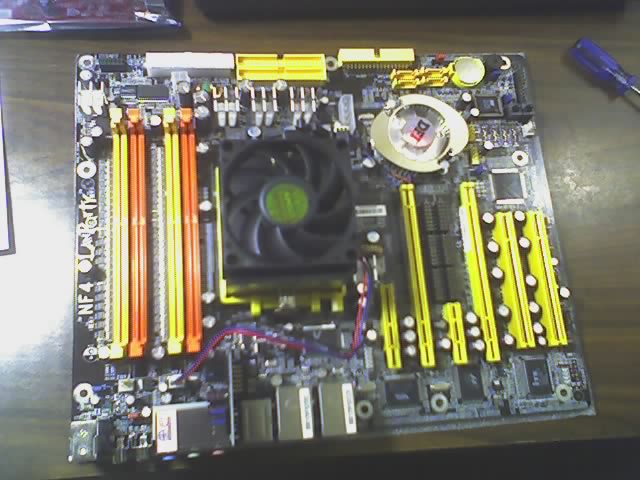
Motherboard with CPU installed and fan mounted

Sorry, I forgot to take the picture of the motherboard outside of the box, but before the CPU installation, or of the CPU at all for that matter. I was a bit giddy; at least this way I didn't get any drool on the microprocessor.
Tangental story: This way at least I warned you so you can skip the boring parts (or maybe these are the only interesting parts--either way, everything is offered, nothing is guaranteed). On Thursday, I mentioned to RFH over IM at work that I had put the conputer together. He asked me if I had remembered to put the coolant gel between the CPU and its cooling fan. I was shocked, and a bit embarassed, plus, this is not the kind of thing he just lets slide. He was right about something, and would lose no opportunity to lord it over me, and make sure I knew that had it not been for his warning, I would have embarassingly fried a CPU and possibly the motherboard as well, setting me back $300. Following this impeccable logic, I would forever "owe" him for this computer.
But, there is a God, and He is merciful. He does not wish to damn his children to hell, even if they do live with RFH0. The reason it startled me so much when he brougt it up, was that I was quite sure that I had meticulously followed the instructions--oh yes, when Tim knows that he doesn't know what he's doing, he actually reads the instructions. So, when he got home that night, he promptly barged into my room and practically demanded that I disgorge my computer. I was just as eager for a verdict, and so I obliged. Sure enough, I had, in fact, followed the instructions, leaving nothing out. *Whew* /Tangent
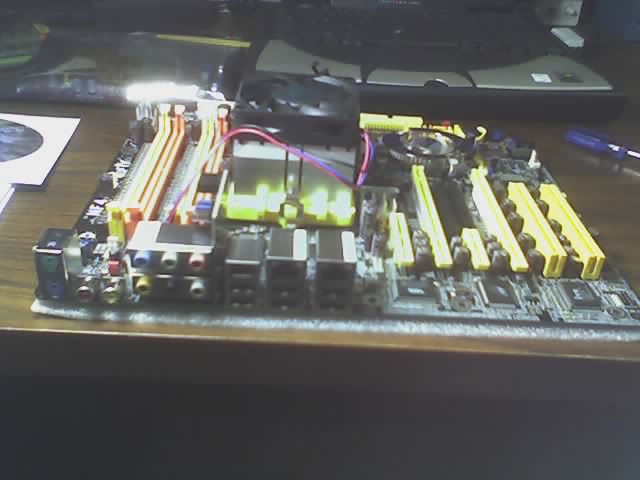
Another angle

The Box, with just the DVD burner installed

It looks so neat and clean, but that was not to be.
Motherboard installed

...Motherboard and DVD wired

Quite the tangeld mess, despite my efforts and even though the IDE cables (which are usually ribbon-shaped) are tightly contained in their yellow wrappings. I'm glad I got a SATA hard drive: one fewer IDE cable to get in the way. Although, the SATA coused me a bit of grief. The fact that RFH claimed that it was impossible to boot Linux from an IDE drive didn't make it any easier. He kept insisting that I should install Windows on it to get it up and running (which, for me, would take some of the fun out of it). But that's nothing compared to the floppy drive. SATA boots Linux Kernel 2.6 just fine, by the way.
Graphics Card & Floppy

Speaking of which, the floppy drive doesn't work. Or didn't. Well, I suppose it still doesn't work, but that won't hurt anything at the dump. I bought this one at the surplus store for four dollars. It had been gutted from some other computer, but it looked clean, and was only manufactured 4 years ago. A trip to the local computer store and $12 solved that problem. I could have gotten a white one for $8, but I want her to look pretty.
Oh, and speaking of 'her,' I renamed my computer (as you may have guessed from the title of this post). When I finally got the OS installed and it was time to enter a name I thought it more appropriate and also more original, given that she's an Athlon64 system, and Athena being the name of a goddess. Plus, it's far easier/more fun to endearingly/fondly/protectively/admiringly refer to a 'she' than an 'it.' This being a relatively powerful system running optimized code, the name also does justice to her sleekness: power and elegant prowess. Well, she will be elegant when I've got everything installed correctly. But I wouldn't have it any other way. If I wanted her to soar right out of the box(es) I would have used a stage 3, or just gone to Best Buy and picked out a Media Center PC (*yawn*).
Naked goddess

Back, guts.

The hard drive was, of course, the last item to arrive, which means I had to wait to do anything except mess with the BIOS settings. It was sitting at the FedEx office, or out for delivery (normally the Leasing Office at my complex accepts non-USPS parcels, but they seemed to have been out when the deliveries came on Thursday and Friday). The FedEx office, as it turns out, is two blocks from my worksite. Had I known that, I might have dropped by on my way home Thursday, but as it was, I picked it up Saturday afternoon after Bible study.
Trying to install Gentoo...

They seem to play nice together

Covers on

Covers, back

Compiling, futilly

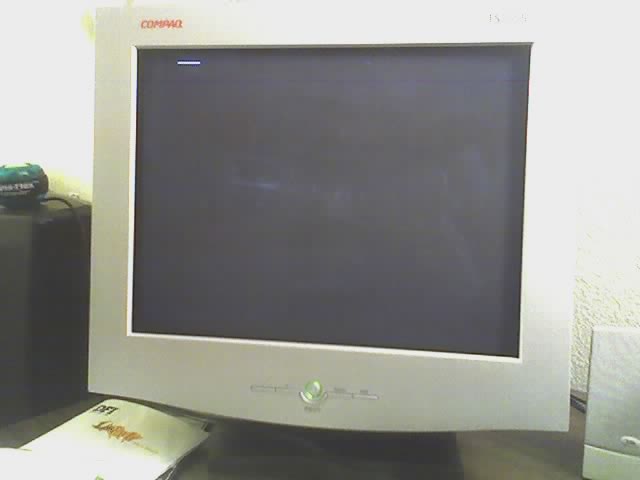
...aaaaand CRAAASH!1

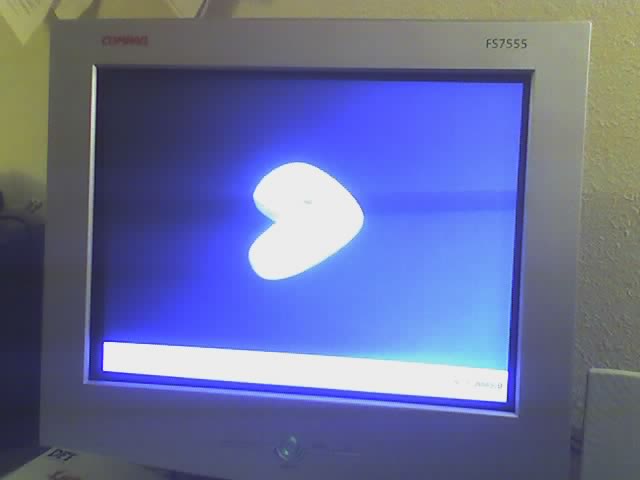
At least this freeze looks pretty

"Bless me, Father, for I have sinned."
"Go on..."
"I have broken the first commandment."
"You kill somebody?"
"No, Father! That is not the first commandment."
"Of course not! In what way have you broken the first commandment?"
--or something like that.
And now we come to yet another reason that 'athena' is the perfect name for my computer. It's my own little ironic way of reminding myself where my priorities should be. This Sunday was daylight savings, where we "Spring forward," so I lost an hour of sleep. Actually, I lost quite a bit more than that. I went out to play poker with some friends. $5 buy-in, lost my shirt2, and at least I didn't lose everything and then buy back in twice, like somebody I know. Anyway, when I lost, Caleb and I went to go see Sarah, who, for the record, is not a crazy old lady, although she is an old lady. I got home at like 3:00, and since tuxbox (as it was still then called) had finished its compilation job, I set off the next command that should keep it busy for the next few hours, set my alarm so that I could be at church by 11:00, and went to bed. I got up on time. I was fully aware of the time change. I was a bit tired, but I had plenty of time. I just wasted it. I was 15 minutes late.
I thought I would be able to boot into the operating system off of the hard drive. Just once, what could it hurt? Well, it turned out there was a slight problem. It wouldn't boot again. I had only actually gotten it to successfully boot once after numerous tries. It kept freezing up, and I wasn't sure what the problem was: faulty RAM, motherboard, bad graphics card. It turns out, the LORD had retroactively smitten my motherboard with a bad BIOS (the software that runs on the motherboard). On top of that, the memory was also bad, as it failed the startup test about half the time. Shutting off the power at the power strip for half a minute seems to help the RAM to pass, but that doesn't always work.
Anyway, the BIOS was, at this point, my biggest worry. I went to MSI's website on my laptop and got the utility to flash the BIOS, which I wrote to a bootable floppy, and stuck it into tuxbox. I set the BIOS to boot from the Floppy, and viola: nothing. It booted from the CD, which was the 2nd boot device. Drat. On my roommate's advice, I made a DOS bootable floppy. Same [non]effect. So, I figured God didn't want me to boot that day lest I forget having begged His forgiveness, and gave up for the night. On Monday after work, I bought the $12 black floppy drive and flashed the BIOS. Presto! It worked perfectly. Well, about 90% perfectly. It still froze up on boot occasionally because of the RAM.
Despite the RAM issue, I was able to get the operating system installed, and spent a few evenings this week emerging and configuring various utilities.
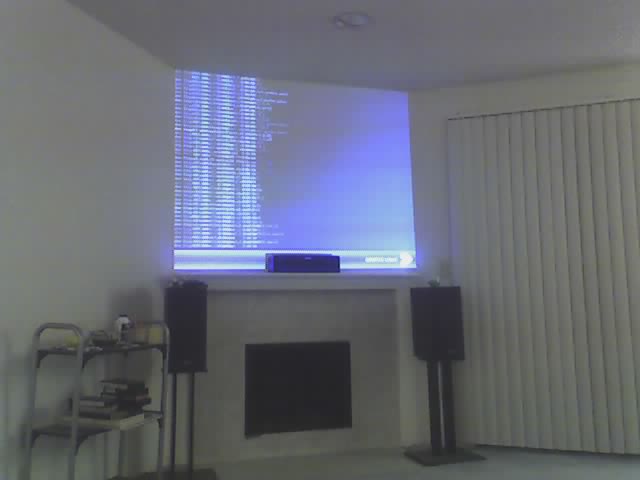
Actual compiling (I had moved from my room to the living room, where I hooked up both the monitor and my projector, which isn't as glorious in this shot, bacause there are lights shining on it and the screen is mostly dark blue and black.)

I still haven't gotten Gnome to build. Not sure what's causing it. I can only see the bottom of the compilation output, and it's not much good. Since I'm not in a graphical environment, I can't just scroll up, and if I pipe the output to a file, it only redirects stdout, while stderr prints to the screen. Still, I haven't tried that hard to solve that problem just yet. I managed to get the nVidia drivers installed (at least the 64-bit versions: it complains when it tries to install the 32-bit drivers because the libraries (that it just installed in 64-bit) are already there--the readmy said something about a manual setting for the 32-bit driver direcrtories that almost everyone wansn't supposed to mess with--maybe I'm special) and installed Xorg and Samba, as well as various other utilities.
Right now my RAM is sitting in a box on my desk. I'm going to send it back to Newegg and hopefully they'll send me some DIMMs that work all of the time. Meanwhile I'll be out a computer, hence the fact that I suddenly have time to blog:)
Not that I've been totally ignoring the other aspects of my life. I do tend to absorb myself in whatever I'm doing3. This friday I went to a housewarming for one of the guys on my volleyball team. It was a really great time and I got to meet a lot of enjoyable people.
0 'Roommate From Hell' --yes, I know, not very complimentary. But so, so very appropriate. I should make a note that he offered to loan me 512KB of functional RAM from his box until I got some that worked, but my BIOS wouldn't even show up with his DIMM in. He didn't even do it so I would be grateful either. Just being nice, it seemed.
1 The screen isn't all blank. There's that one little line, plus a blue streak,
2 No, not my orange Newegg shirt, my figurative one. Sorry to have gotten your hopes up.
3 Typically one thing at a time, like reading a book for five hours at a sitting. I can't even chat properly and surf the Internet at the same time. Maybe you've noticed:) I think the worst is when I'm blogging and someone IMs me. I either have to drop one thing and do the other, or do both poorly (or very slowly). Reminds me of a quote I read: Better, Faster, Cheaper: Pick two.
This happened last Wednesday night.
All Laid Out

This is the "before" picture. This is what I had when I started putting things together. The graphics card is on the left, at 9 o'clock. at 10, there's the motherboard, at 5 is the RAM, the CPU is in the center right, next to the DVD burner, and on the right, of course, is the case, with my free T-shirt. Newegg, in their infinite wisdom, thought that I would be a willingly unpaid human billboard for them. They are, of course, correct. I just have to find the appropriate occasion to wear something bright orange...
So, without further ado:
Motherboard with CPU installed and fan mounted

Sorry, I forgot to take the picture of the motherboard outside of the box, but before the CPU installation, or of the CPU at all for that matter. I was a bit giddy; at least this way I didn't get any drool on the microprocessor.
Tangental story: This way at least I warned you so you can skip the boring parts (or maybe these are the only interesting parts--either way, everything is offered, nothing is guaranteed). On Thursday, I mentioned to RFH over IM at work that I had put the conputer together. He asked me if I had remembered to put the coolant gel between the CPU and its cooling fan. I was shocked, and a bit embarassed, plus, this is not the kind of thing he just lets slide. He was right about something, and would lose no opportunity to lord it over me, and make sure I knew that had it not been for his warning, I would have embarassingly fried a CPU and possibly the motherboard as well, setting me back $300. Following this impeccable logic, I would forever "owe" him for this computer.
But, there is a God, and He is merciful. He does not wish to damn his children to hell, even if they do live with RFH0. The reason it startled me so much when he brougt it up, was that I was quite sure that I had meticulously followed the instructions--oh yes, when Tim knows that he doesn't know what he's doing, he actually reads the instructions. So, when he got home that night, he promptly barged into my room and practically demanded that I disgorge my computer. I was just as eager for a verdict, and so I obliged. Sure enough, I had, in fact, followed the instructions, leaving nothing out. *Whew* /Tangent
Another angle

The Box, with just the DVD burner installed

It looks so neat and clean, but that was not to be.
Motherboard installed

...Motherboard and DVD wired

Quite the tangeld mess, despite my efforts and even though the IDE cables (which are usually ribbon-shaped) are tightly contained in their yellow wrappings. I'm glad I got a SATA hard drive: one fewer IDE cable to get in the way. Although, the SATA coused me a bit of grief. The fact that RFH claimed that it was impossible to boot Linux from an IDE drive didn't make it any easier. He kept insisting that I should install Windows on it to get it up and running (which, for me, would take some of the fun out of it). But that's nothing compared to the floppy drive. SATA boots Linux Kernel 2.6 just fine, by the way.
Graphics Card & Floppy

Speaking of which, the floppy drive doesn't work. Or didn't. Well, I suppose it still doesn't work, but that won't hurt anything at the dump. I bought this one at the surplus store for four dollars. It had been gutted from some other computer, but it looked clean, and was only manufactured 4 years ago. A trip to the local computer store and $12 solved that problem. I could have gotten a white one for $8, but I want her to look pretty.
Oh, and speaking of 'her,' I renamed my computer (as you may have guessed from the title of this post). When I finally got the OS installed and it was time to enter a name I thought it more appropriate and also more original, given that she's an Athlon64 system, and Athena being the name of a goddess. Plus, it's far easier/more fun to endearingly/fondly/protectively/admiringly refer to a 'she' than an 'it.' This being a relatively powerful system running optimized code, the name also does justice to her sleekness: power and elegant prowess. Well, she will be elegant when I've got everything installed correctly. But I wouldn't have it any other way. If I wanted her to soar right out of the box(es) I would have used a stage 3, or just gone to Best Buy and picked out a Media Center PC (*yawn*).
Naked goddess

Back, guts.

The hard drive was, of course, the last item to arrive, which means I had to wait to do anything except mess with the BIOS settings. It was sitting at the FedEx office, or out for delivery (normally the Leasing Office at my complex accepts non-USPS parcels, but they seemed to have been out when the deliveries came on Thursday and Friday). The FedEx office, as it turns out, is two blocks from my worksite. Had I known that, I might have dropped by on my way home Thursday, but as it was, I picked it up Saturday afternoon after Bible study.
Trying to install Gentoo...

They seem to play nice together

Covers on

Covers, back

Compiling, futilly

...aaaaand CRAAASH!1

At least this freeze looks pretty

"Bless me, Father, for I have sinned."
"Go on..."
"I have broken the first commandment."
"You kill somebody?"
"No, Father! That is not the first commandment."
"Of course not! In what way have you broken the first commandment?"
--or something like that.
And now we come to yet another reason that 'athena' is the perfect name for my computer. It's my own little ironic way of reminding myself where my priorities should be. This Sunday was daylight savings, where we "Spring forward," so I lost an hour of sleep. Actually, I lost quite a bit more than that. I went out to play poker with some friends. $5 buy-in, lost my shirt2, and at least I didn't lose everything and then buy back in twice, like somebody I know. Anyway, when I lost, Caleb and I went to go see Sarah, who, for the record, is not a crazy old lady, although she is an old lady. I got home at like 3:00, and since tuxbox (as it was still then called) had finished its compilation job, I set off the next command that should keep it busy for the next few hours, set my alarm so that I could be at church by 11:00, and went to bed. I got up on time. I was fully aware of the time change. I was a bit tired, but I had plenty of time. I just wasted it. I was 15 minutes late.
I thought I would be able to boot into the operating system off of the hard drive. Just once, what could it hurt? Well, it turned out there was a slight problem. It wouldn't boot again. I had only actually gotten it to successfully boot once after numerous tries. It kept freezing up, and I wasn't sure what the problem was: faulty RAM, motherboard, bad graphics card. It turns out, the LORD had retroactively smitten my motherboard with a bad BIOS (the software that runs on the motherboard). On top of that, the memory was also bad, as it failed the startup test about half the time. Shutting off the power at the power strip for half a minute seems to help the RAM to pass, but that doesn't always work.
Anyway, the BIOS was, at this point, my biggest worry. I went to MSI's website on my laptop and got the utility to flash the BIOS, which I wrote to a bootable floppy, and stuck it into tuxbox. I set the BIOS to boot from the Floppy, and viola: nothing. It booted from the CD, which was the 2nd boot device. Drat. On my roommate's advice, I made a DOS bootable floppy. Same [non]effect. So, I figured God didn't want me to boot that day lest I forget having begged His forgiveness, and gave up for the night. On Monday after work, I bought the $12 black floppy drive and flashed the BIOS. Presto! It worked perfectly. Well, about 90% perfectly. It still froze up on boot occasionally because of the RAM.
Despite the RAM issue, I was able to get the operating system installed, and spent a few evenings this week emerging and configuring various utilities.
Actual compiling (I had moved from my room to the living room, where I hooked up both the monitor and my projector, which isn't as glorious in this shot, bacause there are lights shining on it and the screen is mostly dark blue and black.)

I still haven't gotten Gnome to build. Not sure what's causing it. I can only see the bottom of the compilation output, and it's not much good. Since I'm not in a graphical environment, I can't just scroll up, and if I pipe the output to a file, it only redirects stdout, while stderr prints to the screen. Still, I haven't tried that hard to solve that problem just yet. I managed to get the nVidia drivers installed (at least the 64-bit versions: it complains when it tries to install the 32-bit drivers because the libraries (that it just installed in 64-bit) are already there--the readmy said something about a manual setting for the 32-bit driver direcrtories that almost everyone wansn't supposed to mess with--maybe I'm special) and installed Xorg and Samba, as well as various other utilities.
Right now my RAM is sitting in a box on my desk. I'm going to send it back to Newegg and hopefully they'll send me some DIMMs that work all of the time. Meanwhile I'll be out a computer, hence the fact that I suddenly have time to blog:)
Not that I've been totally ignoring the other aspects of my life. I do tend to absorb myself in whatever I'm doing3. This friday I went to a housewarming for one of the guys on my volleyball team. It was a really great time and I got to meet a lot of enjoyable people.
0 'Roommate From Hell' --yes, I know, not very complimentary. But so, so very appropriate. I should make a note that he offered to loan me 512KB of functional RAM from his box until I got some that worked, but my BIOS wouldn't even show up with his DIMM in. He didn't even do it so I would be grateful either. Just being nice, it seemed.
1 The screen isn't all blank. There's that one little line, plus a blue streak,
2 No, not my orange Newegg shirt, my figurative one. Sorry to have gotten your hopes up.
3 Typically one thing at a time, like reading a book for five hours at a sitting. I can't even chat properly and surf the Internet at the same time. Maybe you've noticed:) I think the worst is when I'm blogging and someone IMs me. I either have to drop one thing and do the other, or do both poorly (or very slowly). Reminds me of a quote I read: Better, Faster, Cheaper: Pick two.
Thursday, March 31, 2005
I See Penguins
Please note: This post is a duplicate. The original can be found here. I am posting it on this blog for continuity.
Okay, okay, you've all been clamoring for a post. I give. So here goes. I am going to build a computer. I've wanted to do this for quite some time, but lately, it's all been coming together, and I've gathered enough momentum to see it through. The first event on the chain was my acquisition of a monitor. Slickdeals had a 17" flat screen CRT for $30 after rebates and I bit. I wasn't exactly sure what I wanted to do with the monitor at the time, but I figured I could always find a good use for it. It's a pretty good monitor0, and I've thought of a use for it. This all fits into my larger scheme of building a Linux1 box that provides all the good functionality of a TiVo, but without the annoying parts (like the ads, the fact that they disabled the 30-second skip and don't delete commercials, and the fact that your recorded shows are stuck on your TiVo, and you can't really do anything useful with them). I don't just want a TiVo replacement or a Media Center PC. I want a server. I want toplay with utilize Linux (because it will help me in my career/hobby), which brings me to the next event on the chain.
I spoke with my sister Sazzly on the phone the other day and I mentioned that I was considering building a Linux box. I remembered that her roommate had one, and I asked what distro she was running. I use Red Hat at work, but really I didn't know that much about what the different distrobutions had to offer, or for that matter how to go about setting up a system. I know and use a lot of the every-day commands, but I don't know the ins and outs of administrating a Linux system. She said her roommate ran Gentoo2, and then mentioned that it was really easy to install programs "because there's this one command that you type followed by the name of the program, and it installs automagically [paraphrase]." So naturally I had to do some research. Among other distro sites, I went to gentoo.org and looked around a bit. Apparently, Gentoo is the ultimate roll-your-own distro. And get this: when you install a program, you do it by downloading the source code and compiling it yourself! Oh, sure, this is possible on every Linux distro, and sure, you don't have to do it this way: you can also install from binaries, but the minute I read this, my jaw hit the floor and I began to salavate. Okay, not literally, but I was instantly hooked. This, you see, my young grashopper, is the path to ultimate optimization and customization.
Processors can only be as efficient as the compiler that built the programs they're running tell them to be (this isn't 100% true, but bear with me), so if I bought a 64-bit processor and ran programs compiled for a 32-bit perocessor, it would still work, (because the 64-bit processor is backwards compatible) but aside from a few optimizations built into the processor, there wouldn't be nearly as much of a jump in performance as if the program were compiled for a 64-bit system.
It gets even better than that. Suppose you had a Pentium 4, in fact, you probably do have a Pentium 4 if you bought your computer in the last couple of years. Most of the software that you run on your computer does not take advantage of all the bells and whistles that come with the P4 processor. This is because not everyone has one, and when you distribute your program in binary form, you don't want to tell everyone without a particular processor that they can't use your software unless they upgrade your system, so you go with the lowest common denominator, which is x86 (Remember those 386 machines? Running DOS? Yeah, I didn't think so. That's how old this technology is.), or you stipulate a set of system requirements for a more recent processor (The Pentium II is common nowadays), but you can't use the latest hardware enhancements, because you want your product to be useable for "most people" on their current system.
You see, this is even better than having my operating system and most of my programs compiled for my "generation" of processors. They will be optimized to take advantage of features and optimizations unique to my specific processor (and even system configuration).
Then he got an idea!
An aweful idea!
THE GEEK
GOT A WONDERFUL, AWEFUL IDEA!
"I know just what I'll do!" The Geek laughed in his throat.
And he made a quick download, and boot disc he wrote.
And he chuckled and chuckled, "What a great Geeky trick!
With this chip and this board, my system'll be slick!"
My plan, naturally, is to buy an AMD64 processor and build a system, piece by piece, around it. I'll need a motherboard, video card, memory, and a case, as well as all the other usual stuff. I also plan on getting a TV tuner and running MythTV. My goal is to configure it to run MythTV on my projector as a second monitor, while using my CRT as a primary monitor. That's why the keyboard I got is wireless, with an integrated pointing device (ideally suited for sitting on a couch, not at a desk). This is all subject to change, but I've already ordered a keyboard, so I'm pretty much committed.
Lately I've been running lots of Open Source software on my laptop (Firefox, Gaim, Azurus, Vim, OOo, GIMP), and it's partially because of this that I've had enough faith in the quality of Linux to do this.
0 I recently paid a visit to my company's surplus outlet, of which I was previously unaware. If anyone wants a used 15" - 19" CRT (non-flat) for about $10, let me know. The flat-screens are $50. Actually, it's open to the public, but as an employee I get a discount. 1 If you're wondering what Linux is, it's an operating system. "Umm..., what exactly is that?" you were probably going to ask. Windows XP is an operating system. You may have heard of OSX, which is an operating system that runs on Macs. Linux is just another way to run a computer. If you don't know all about it, it's because you're probably not geeky enough. 2 In case you're wondering what it looks like (or rather, a few of the ways it can look), here are some screen shots.
Okay, okay, you've all been clamoring for a post. I give. So here goes. I am going to build a computer. I've wanted to do this for quite some time, but lately, it's all been coming together, and I've gathered enough momentum to see it through. The first event on the chain was my acquisition of a monitor. Slickdeals had a 17" flat screen CRT for $30 after rebates and I bit. I wasn't exactly sure what I wanted to do with the monitor at the time, but I figured I could always find a good use for it. It's a pretty good monitor0, and I've thought of a use for it. This all fits into my larger scheme of building a Linux1 box that provides all the good functionality of a TiVo, but without the annoying parts (like the ads, the fact that they disabled the 30-second skip and don't delete commercials, and the fact that your recorded shows are stuck on your TiVo, and you can't really do anything useful with them). I don't just want a TiVo replacement or a Media Center PC. I want a server. I want to
0 I recently paid a visit to my company's surplus outlet, of which I was previously unaware. If anyone wants a used 15" - 19" CRT (non-flat) for about $10, let me know. The flat-screens are $50. Actually, it's open to the public, but as an employee I get a discount. 1 If you're wondering what Linux is, it's an operating system. "Umm..., what exactly is that?" you were probably going to ask. Windows XP is an operating system. You may have heard of OSX, which is an operating system that runs on Macs. Linux is just another way to run a computer. If you don't know all about it, it's because you're probably not geeky enough. 2 In case you're wondering what it looks like (or rather, a few of the ways it can look), here are some screen shots.
Subscribe to:
Posts (Atom)